Birthday Collage for Mom
A warm, heartfelt collage that says everything a card can't -- the kind of thing she'll screenshot, print, and keep on the fridge until the edges curl.
Ingredients
- 3-6 family photos from your camera roll (mix of candid and posed, at least one from childhood and one recent)
- Floral stickers from the Sticker Library -- roses, wildflowers, botanical frames
- A handwritten-style or elegant serif font for the birthday message
- Warm background color -- blush pink, soft cream, or light kraft tone
- Optional: washi tape stickers, small heart accents, a photo of her handwriting or a card she once wrote you
Steps
-
Start with a birthday template
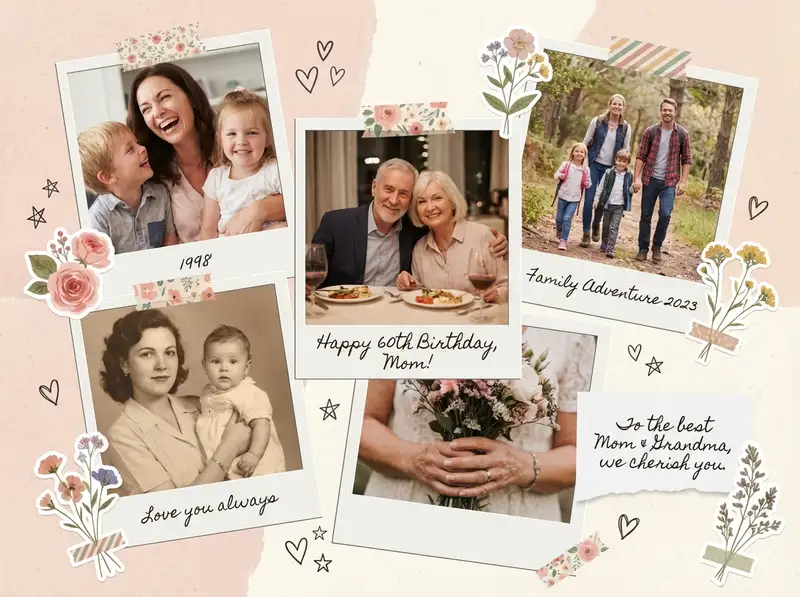
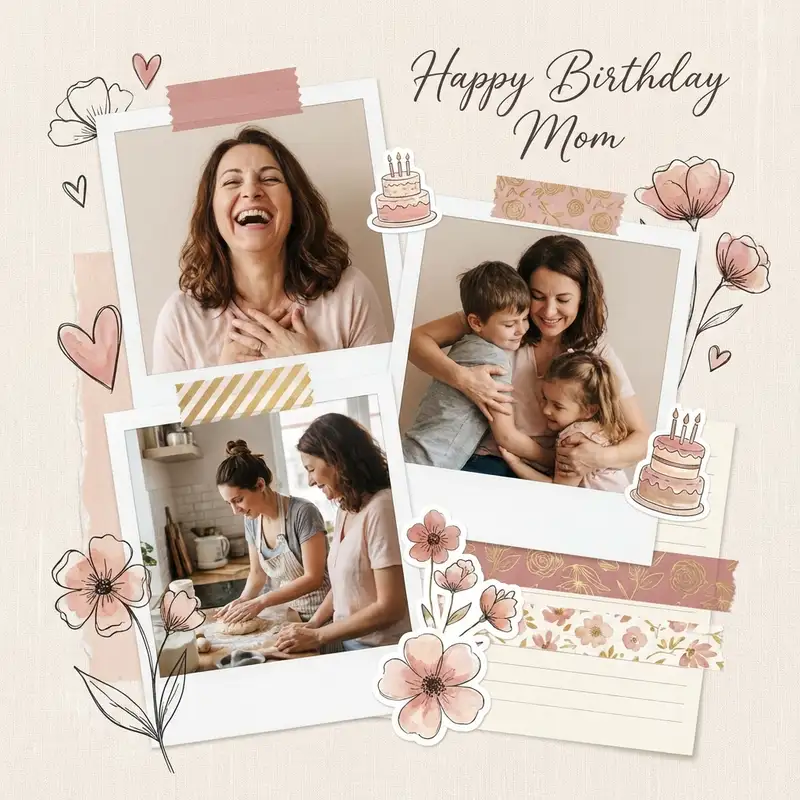
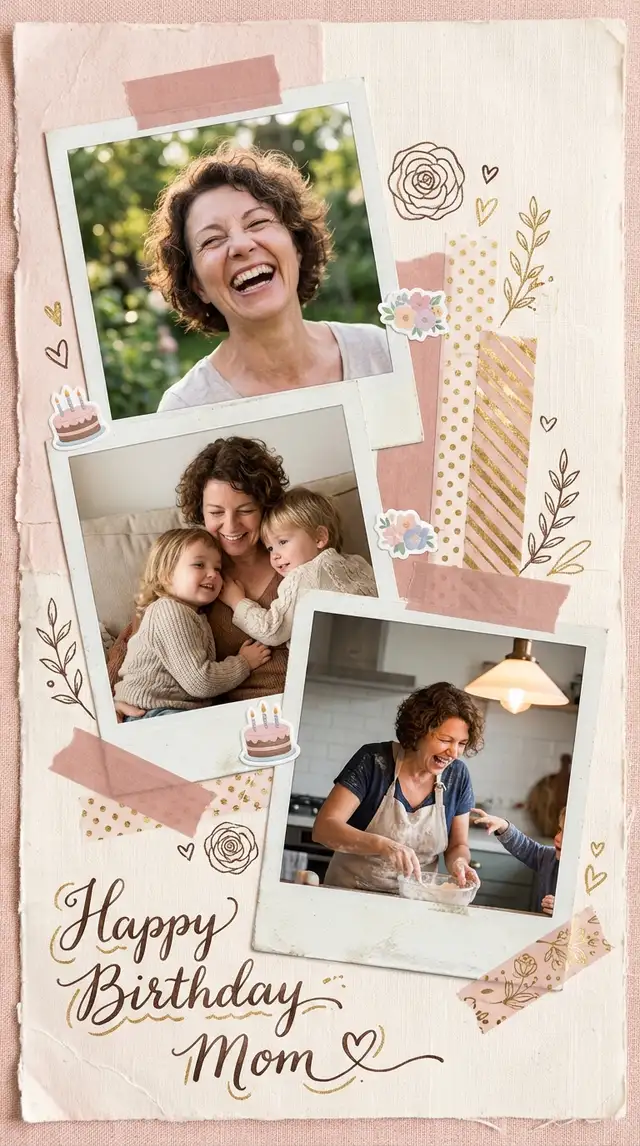
Open Templates and browse the birthday category. Look for something with floral accents and a warm color palette -- blush, cream, gold. A template gives you a beautiful starting point, and you can swap every element to make it yours.
-
Swap in your family photos
Tap each placeholder and replace it with photos from your camera roll. Mix close-ups with wider shots: Mom laughing at dinner, a childhood photo of the two of you, a candid from last holiday. Crop each photo to focus on the emotion -- zoom in on faces, let the background fall away.
-
Warm up the palette
Tap each photo and open Photo Editing. Push warmth up slightly and add a soft, gentle filter -- something that pulls everything toward peach and golden tones. If the template background feels too cool, swap it for a warm cream or dusty rose from the Backgrounds library.
-
Add floral touches
Open the Sticker Library and search for floral frames, botanical corners, or watercolor flowers. Tuck them around the edges of photos or in the corners of the canvas. Layer a delicate bloom behind one photo so it peeks out. Restraint matters -- two or three floral elements say "elegant," ten say "craft store."
-
Write your birthday message
Tap Text and type something genuine: "Happy Birthday, Mom" or a line that means something to your family. Choose a handwritten-style font and size it so it feels like a note you'd tuck inside a card. Use the Doodle Tool to draw a small heart or underline a word -- the imperfection is what makes it feel personal.
-
Save and share
Save at full resolution. For a printed gift, export at the highest quality and order a print on matte photo paper. To share digitally, send it straight to the family group chat or post to Instagram Stories on the morning of her birthday.
Variations
Minimalist Version
Skip the template. Open a Grid with 2x3 cells, drop in five photos and one solid blush color block, and add just her name in small serif text. The simplicity lets the photos carry all the feeling.
Video Surprise
Use Animation to reveal each photo one at a time, ending with the birthday message. Export as a looping video and text it to her first thing in the morning. This is the version that gets the "you made me cry" reply.
Multi-Generation Version
Include photos spanning decades -- her as a young mom, a grandmother, and everything in between. Arrange them loosely in chronological order on a Freestyle canvas. Add the year below each photo in small, consistent type.
Tips
- Odd numbers of photos (5, 7) create more dynamic compositions than even numbers
- Warm, desaturated tones feel more emotional than bright saturated colors -- use Photo Editing to pull saturation down slightly
- Leave at least 20% of the background visible so the collage can breathe
- Save as PNG for printing; the floral sticker details stay crisp at any size
You might also like

Best Friend Photo Collage Gift
The friendship recap nobody asked for but everyone cries over -- from the first terrible selfie to last weekend's proof that nothing has changed.

Holiday Greeting Card Collage
Skip the stock photo card this year -- the best holiday greeting is built from a year of moments actually worth sharing.

Minimalist Family Photo Collage
The best family photos already carry everything they need -- all you have to do is give them room to breathe.

Baby's First Year Photo Collage
Twelve months fit in your arms for such a short time, but they can live on a single page forever.