Minimalist Family Photo Collage
The best family photos already carry everything they need -- all you have to do is give them room to breathe.
Ingredients
- 3-4 family photos from your camera roll (a mix of candid moments and one composed group shot)
- A clean background in white, warm cream, or pale gray
- Generous white space -- this is the main design element
- A single accent color pulled from one of your photos (moss green, dusty blue, soft clay)
- A lightweight sans-serif font for a name or date line
- Optional: one solid color block in your accent shade for a grid cell
Steps
-
Choose a grid with thick, generous borders
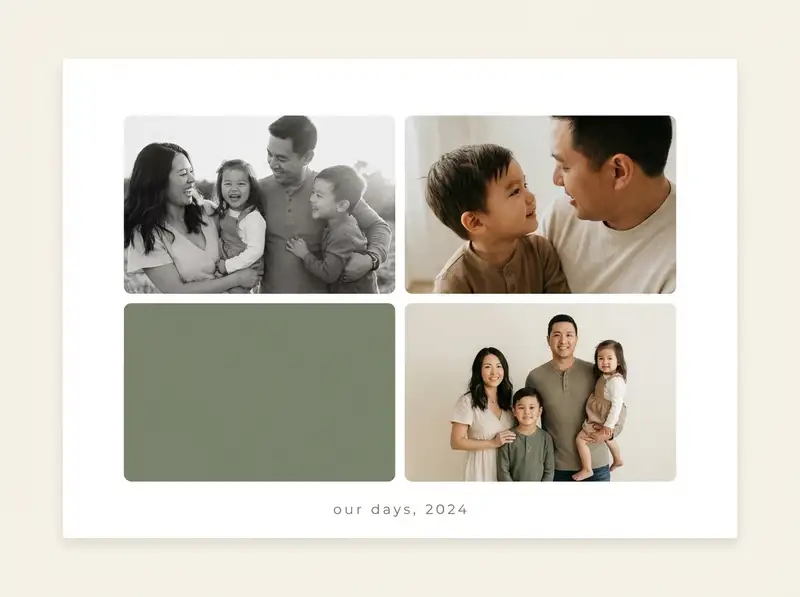
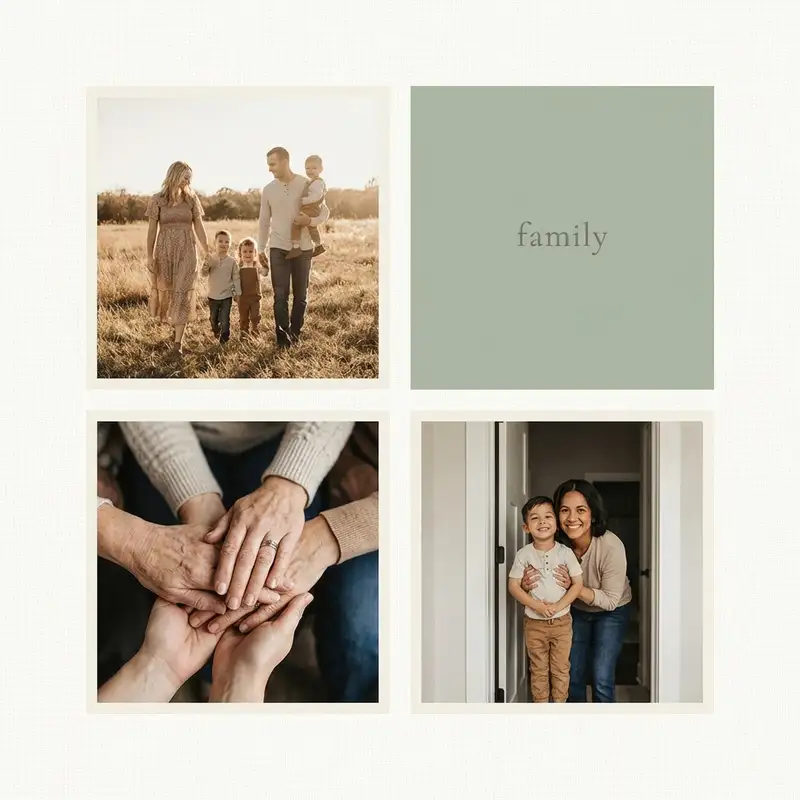
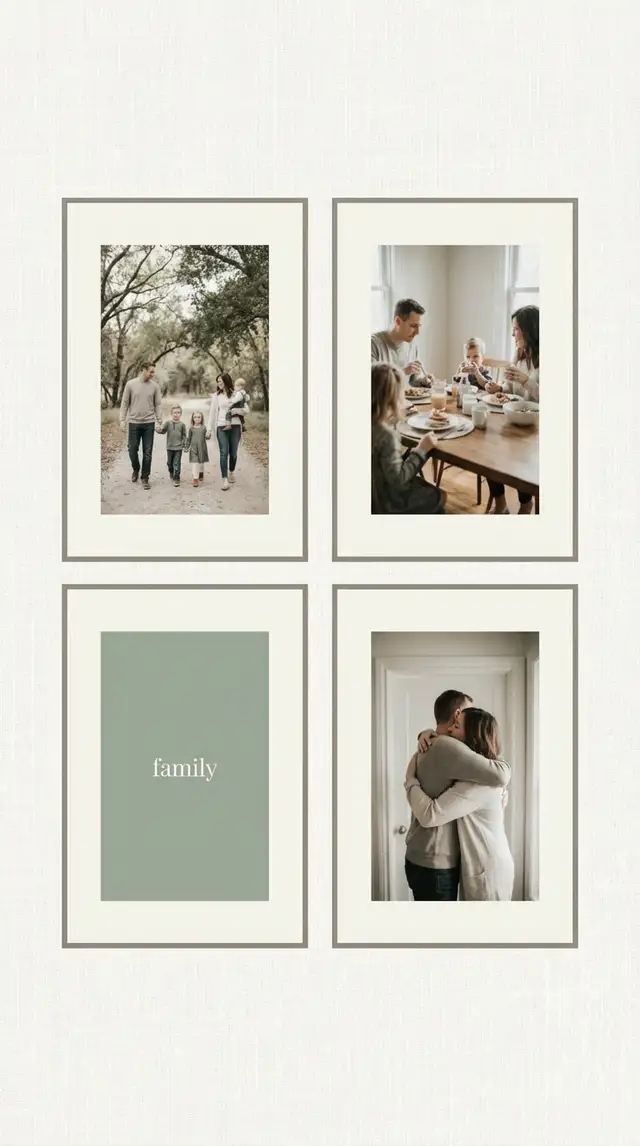
Open Grids and pick a 2x2 or 2x3 layout. Now the key move: push the border slider way up, thicker than feels normal. The white space between photos is the design. Round the corners just slightly -- enough to soften without going cute.
-
Select your photos ruthlessly
You need three to four, no more. Choose photos where the emotion is immediate: a laugh caught mid-breath, a child looking up at a parent, a quiet morning at the table. If two photos carry the same feeling, keep the better one and let the other go.
-
Drop photos in and crop with intention
Tap each cell and import a photo. Crop every image to fill its cell cleanly -- zoom in on faces, pull out on moments. The grid holds its rhythm when every cell feels balanced. If one photo is weaker, replace that cell with a solid color block from Backgrounds in your accent shade.
-
Set a calm, neutral background
Swipe to Backgrounds and choose warm cream or pale linen. Avoid pure white on screen; a barely-there warmth (#FBF9F6 or similar) feels more intentional and less clinical. The background should feel like a gallery wall, not a spreadsheet.
-
Add one quiet text element
Tap Text and type a family name, year, or single word. Choose a lightweight sans-serif font, size it small, and center it beneath the grid. Think caption, not title. Use a gentle filter -- tap each photo and pull saturation down just a touch in Photo Editing so every image lives in the same quiet world.
-
Save clean
Save at full resolution. Skip stickers, skip animation, skip decoration. The whole point of this collage is what you left out. Export as PNG for printing or share directly to your family chat.
Variations
Gallery Wall Print Set
Instead of one collage, export each photo as an individual square with matching white borders. Print at 8x8 and arrange on a wall with even spacing -- the wall itself becomes the collage.
Seasonal Update
Save your grid as a favorite layout and swap in new photos every quarter. Same grid, same background, same font -- only the photos change. A consistent template with changing content becomes a family ritual, not just a project.
Single Row Version
Open a Grid with a 1x3 layout and extra-wide borders. Drop in three photos and set the background to warm cream. Size to 16:9 for a digital photo frame. The simplicity works beautifully on a shelf.
Tips
- When in doubt, remove a photo -- minimalism rewards subtraction
- Use Photo Editing to desaturate all images by 10% for instant cohesion, even without a filter
- Moss and sage tones (#7D8471 range) pair naturally with family warmth without competing for attention
- Save as PNG for the crispest grid lines and cleanest borders when printing
You might also like

Birthday Collage for Mom
A warm, heartfelt collage that says everything a card can't -- the kind of thing she'll screenshot, print, and keep on the fridge until the edges curl.

Holiday Greeting Card Collage
Skip the stock photo card this year -- the best holiday greeting is built from a year of moments actually worth sharing.

Baby's First Year Photo Collage
Twelve months fit in your arms for such a short time, but they can live on a single page forever.

Valentine's Love Letter Collage
The best love letters aren't written -- they're assembled from every quiet moment you've been paying attention.