Anniversary Couple's Collage
Every year adds a photo worth keeping -- this is how you hold them all in one frame.
Ingredients
- 6-10 photos spanning the relationship timeline (first date, first trip, a random Tuesday, a milestone, something from this year)
- At least 2 photos from different eras -- the visual contrast between early and recent is what makes it feel like a story
- A warm, aged background from the Backgrounds library -- vintage paper, soft linen, or warm parchment
- A handwritten or script font for names and dates
- Optional: vintage texture stickers from the Sticker Library -- film grain overlays, torn paper edges, old postage stamps
- Optional: a flower or botanical sticker to soften one corner
Steps
-
Choose a landscape grid with breathing room
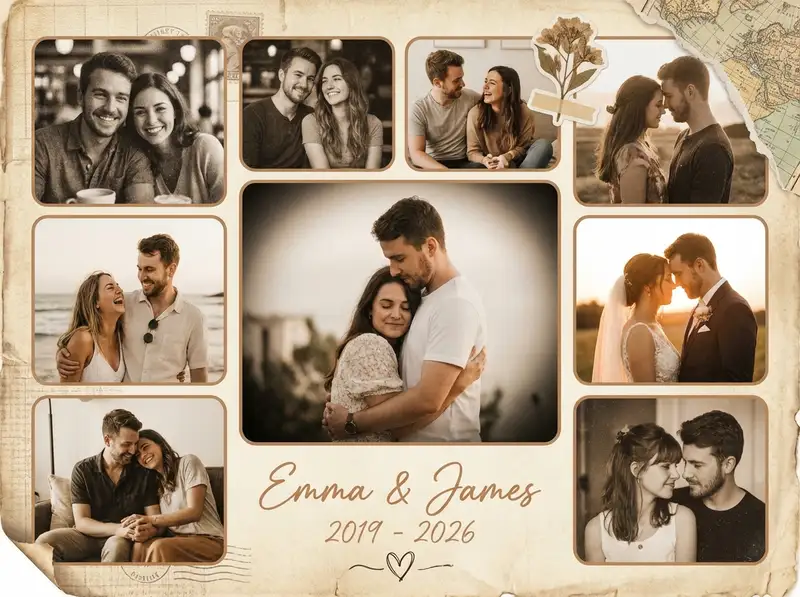
Open Grids and look for a layout with 6-8 cells in an asymmetric arrangement -- one large hero photo flanked by smaller ones works beautifully. Set the canvas to landscape ratio. Increase the border width to wide and round the corners softly. This collage should feel like a spread in a photo album, not a contact sheet.
-
Place photos in chronological order
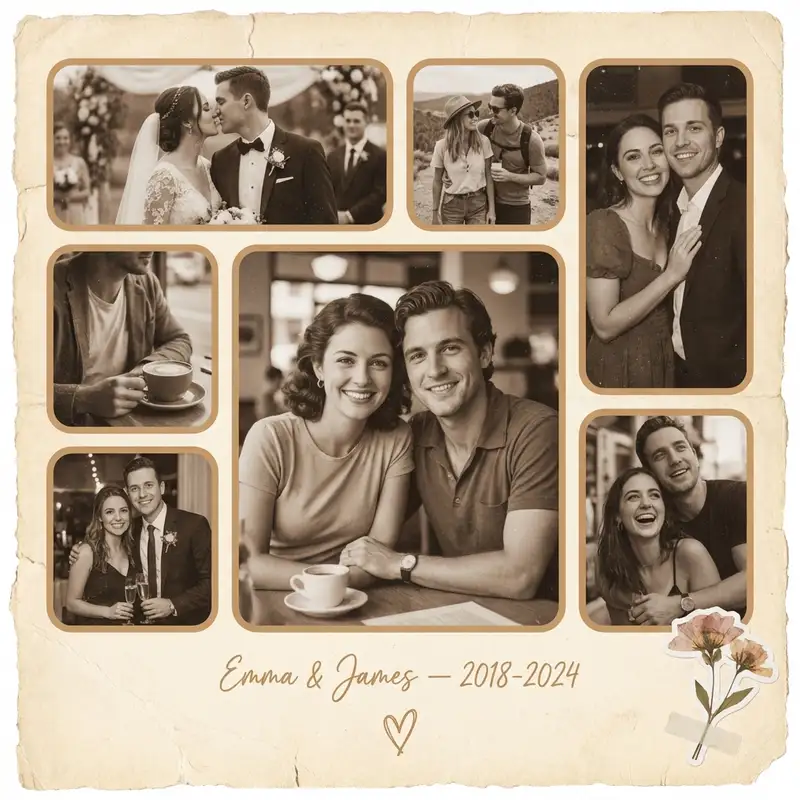
Import your photos and arrange them roughly left to right, earliest to most recent. Put the strongest photo -- the one that catches your breath -- in the largest cell. Crop each image so the two of you are centered. If a photo has a distracting background, use Magic Cutout to isolate just the two of you and place the cutout over a warm solid color.
-
Apply the vintage treatment
Tap each photo and open Photo Editing. Pull saturation down by 20-25% and push warmth up noticeably. Add a slight vignette if available. You want every photo to feel like it was printed on warm paper and left in a drawer for a while. The sepia cast is what turns six phone photos into something that feels like it has been loved for years.
-
Set the background to aged paper
Swipe to Backgrounds and choose a warm parchment or vintage paper texture. If you cannot find the right one, use a solid in warm cream or antique gold. Then open the Sticker Library and search for film grain or paper texture overlays -- layer one lightly across the entire canvas. This subtle grit makes the collage feel physical.
-
Write your names and the date
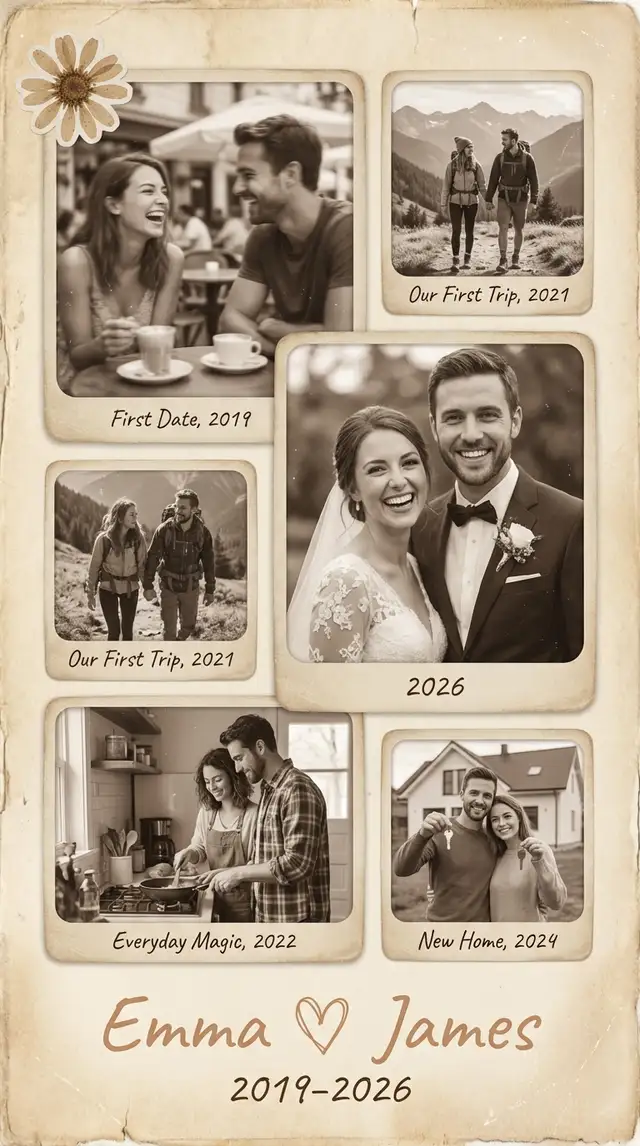
Tap Text and type your names and the anniversary date or year range. Choose a handwritten script font and place it in the center of the collage or along the bottom edge. Keep it simple: "Emma & James -- 2019-2026" or just the years. Use a soft brown or muted gold text color that blends with the vintage palette. Use the Doodle Tool to draw a small heart or underline beneath the text.
-
Save for printing or sharing
Save at the highest resolution in landscape format. For printing, export at the largest size and print on matte photo paper at 8x10 or 5x7 -- matte finish suits the vintage aesthetic better than glossy. For digital sharing, the landscape format works perfectly as an Instagram carousel cover or a message attachment.
Variations
Modern Digital Version
Skip the vintage treatment entirely. Use a clean white background, keep photos in their original color, and choose a minimal sans-serif font for the text. This version feels contemporary and works better for sharing on social media where the vintage look might feel heavy on a bright screen.
Print-First Keepsake Version
Design at the highest resolution from the start. Add a wider border around the entire collage to create a built-in mat effect. Include a small handwritten note using Custom Text at the bottom -- something personal, not generic. Print on heavy matte paper and frame it. This becomes a physical gift that sits on a shelf.
Timeline Strip Version
Switch to a single horizontal row of 5-6 photos in chronological order using a 1-row grid. Add the year beneath each photo in small text. Wide landscape format. This linear layout reads like a film strip and makes the passage of time feel tangible -- you can see the hairstyles change, the backgrounds shift, the comfort deepen.
Tips
- The strongest anniversary collages include at least one photo that is not a great photo but captures a great moment
- Matching the warmth and saturation across all photos is the single most important step -- inconsistent color breaks the spell
- Use a warm brown (#C4956A) or muted gold for text rather than black -- it feels softer against the vintage palette
- If you only have 4-5 good photos, use fewer grid cells and give each one more space rather than stretching to fill 8
- Matte paper prints vintage collages better than glossy -- the sheen fights the aged aesthetic
You might also like

Vintage Wedding Collage
Some love stories deserve to look like they've already been treasured for fifty years.

Valentine's Love Letter Collage
The best love letters aren't written -- they're assembled from every quiet moment you've been paying attention.

Baby's First Year Photo Collage
Twelve months fit in your arms for such a short time, but they can live on a single page forever.

Birthday Collage for Mom
A warm, heartfelt collage that says everything a card can't -- the kind of thing she'll screenshot, print, and keep on the fridge until the edges curl.