How to Make a Gurpurab Family Photo Collage
Make a respectful Gurpurab family photo collage of preparation, shared food and time together, with real editor steps and a downloadable practice example.

A family collage can remember the work around a shared day: who helped prepare food, who arrived, and the conversations that would otherwise disappear from the camera roll. This walkthrough makes that kind of Gurpurab keepsake. It does not turn worship, sacred text or people receiving help into decorative material.
India Post’s 2026 holiday list places Guru Nanak’s Birthday on November 24, 2026. Your family or gurdwara may arrange activities on nearby dates. Use the date of the gathering you actually photographed, and ask about local photography rules.
Select a family-owned story
Choose four images you have permission to use: a consenting group, preparation in a kitchen, a food detail and a quiet moment together. If the gathering involves service, keep the volunteers’ work visible without exposing recipients or private circumstances. A small set chosen with care is enough.
Download the fictional practice photographs if you want to learn the controls first. These AI examples show domestic preparation; they are not a record of a real community’s event.
Step 1: Start with a square keepsake
Open the maker and set Canvas shape to 1:1. This format holds a group and three supporting moments without requiring a long public caption. Decide whether the page is a private family memory or something the group has agreed to share before adding names.
Step 2: Load the selected pictures
Open Photos and choose Add photos. Import the four JPGs together and inspect each thumbnail. Replace an image if it contains someone who has not agreed to be pictured. A group permission decision is more important than keeping the sample’s exact photo count.
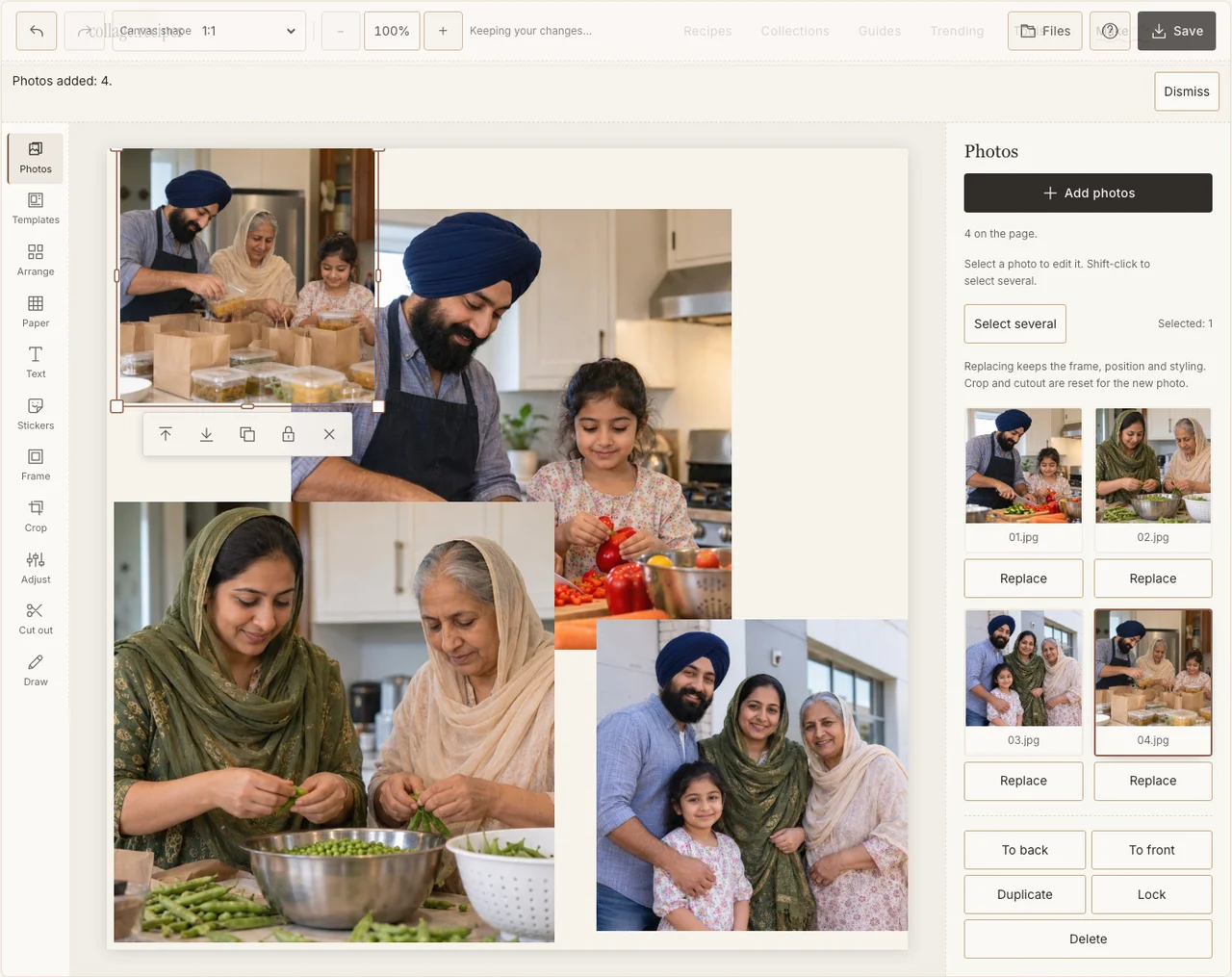
Actual desktop editor. The example photographs are AI-generated demonstrations; the controls and exported collage are real.
Step 3: Connect people with what they helped make
Use Arrange in Freestyle. Keep the group large enough for faces to remain recognizable, and place the preparation and food images near one another. Let the fourth photograph show the time spent together. Avoid using a cropped stranger as anonymous background texture.
Step 4: Make the kitchen and group photos sit together
In Adjust, bring a dim preparation photograph closer to the brightness of the group portrait. Do not erase all the warmth of the kitchen. Give the frames a plain, consistent edge in Frame; a restrained layout leaves the subject clearer than a collection of borrowed religious motifs. If your browser reports that photo adjustments are unavailable, keep the original colors and continue with frames, text and saving; those controls still work.
Step 5: Use the family’s own words
Choose a calm Paper background. In Text, add the gathering’s date and a short line approved by the people involved. Check spellings and supported lettering at the size the image will be read. Leave sacred words out if you are not sure of their accuracy or appropriate use.
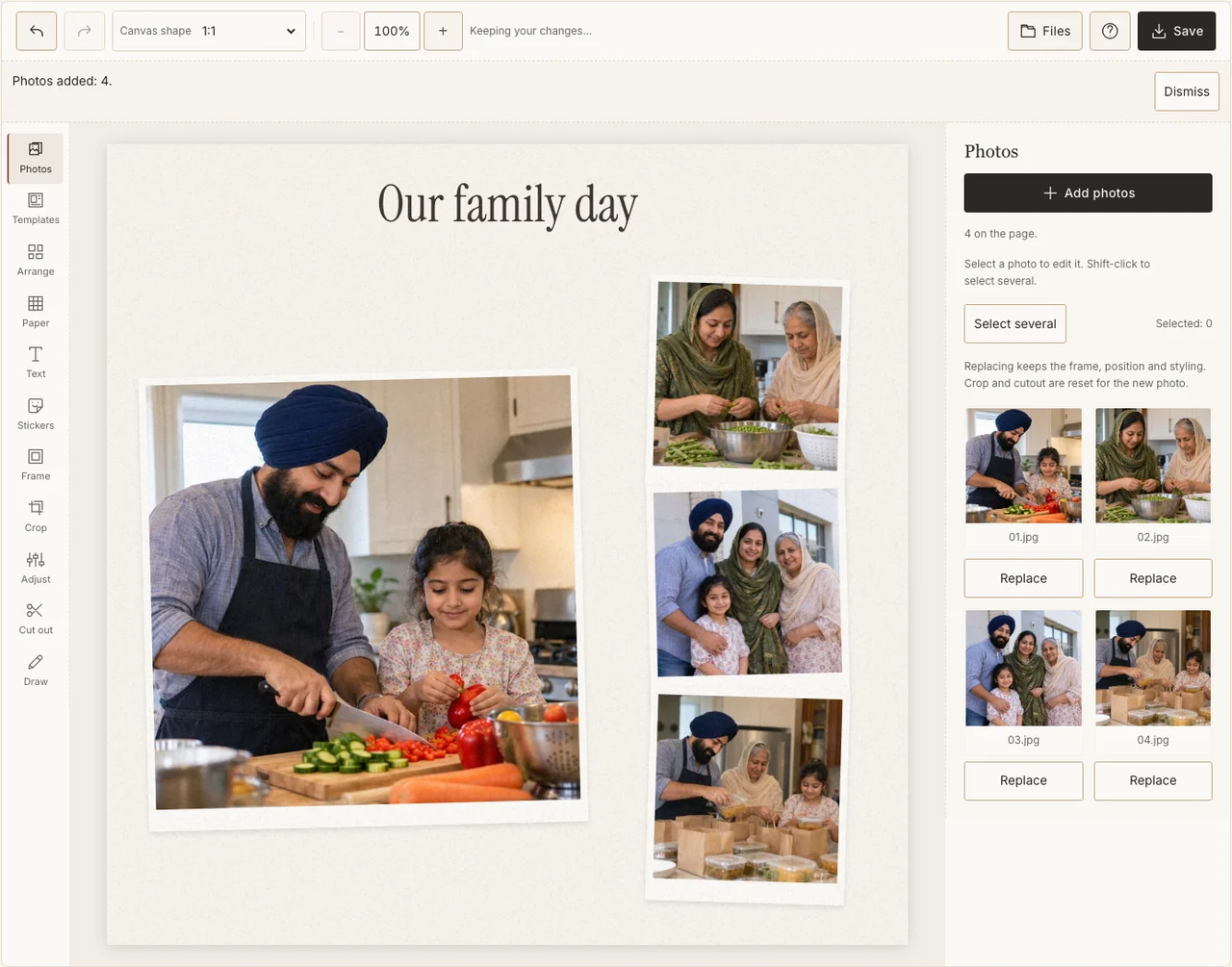
Actual desktop editor. The example photographs are AI-generated demonstrations; the controls and exported collage are real.
Step 6: Download for the agreed audience
Open Save, choose Share and download the JPG. Read it outside the editor and send a private proof to the family or organizers first. A downloaded file can be forwarded, so choose its audience with the people pictured rather than relying on a small caption to limit circulation.
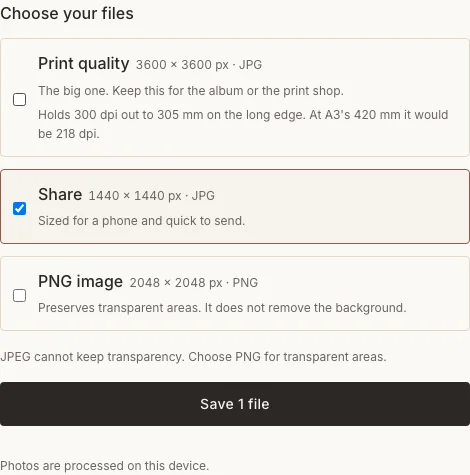
Actual desktop editor. The example photographs are AI-generated demonstrations; the controls and exported collage are real.
Keep the page accurate
| Issue | A practical response |
|---|---|
| A photograph was taken where cameras were restricted | Leave it out and use a permitted family image. |
| The greeting has unverified lettering | Ask someone who uses that wording or choose a plain, confirmed caption. |
| The food picture overwhelms the people | Reduce its frame and restore the group as the anchor. |
Frequently asked questions
Do I need a picture from inside a gurdwara?
No. Preparation, a family gathering and time together can tell a complete personal story. Only use photographs made and shared in accordance with that place’s rules and the people’s wishes.
Is the sample showing a real religious service?
No. It uses AI-generated domestic demonstration photographs to explain the maker. It does not document an actual service or claim to prescribe observance.
Can a community group make a shared page?
Yes, when the group agrees on photographs, names and distribution. Start with a private draft and let participants correct their details before the final file is shared.
Keep making
The general collage tutorial explains the basic tools if this is your first image project.