How to Make a Holi Photo Collage That Keeps Faces and Colors Clear
Make a Holi photo collage that keeps faces readable among bright colours. Follow four-photo selection, gentle adjustments, caption placement and real JPG export.

When every photograph contains colour, the hardest part of a Holi collage is deciding where to look. Begin with one clear portrait, then choose three closer details that add something different. Leave the background quiet so colour remains in the photographs instead of competing with them.
The India holiday calendar lists Holi on March 22, 2027. Regional observances and local gatherings can differ. Use the date of your own celebration and do not assume that every household follows the same programme.
Choose faces before powder clouds
Look for one group photograph with recognisable faces, a pair of friends, a hands detail and a calmer portrait. Get permission for the intended audience. This is a layout exercise using photographs taken after playing; it does not require staging a new colour throw or photographing anyone who does not want to participate.
The practice photo pack contains fictional AI examples, not records of a real family or event. Unzip it to try the layout, then replace the images with your own.
Step 1: Start with a quiet square canvas
Open the maker and choose 1:1. Plan one main frame and three smaller ones, with a clear heading strip. A plain canvas makes it easier to see which photograph should lead.
Step 2: Compare the four originals
In Photos, choose Add photos and select the files. Check faces and focus before deciding which image is largest. Keep the original images; screenshots of social posts often lose the detail that makes a bright portrait readable.
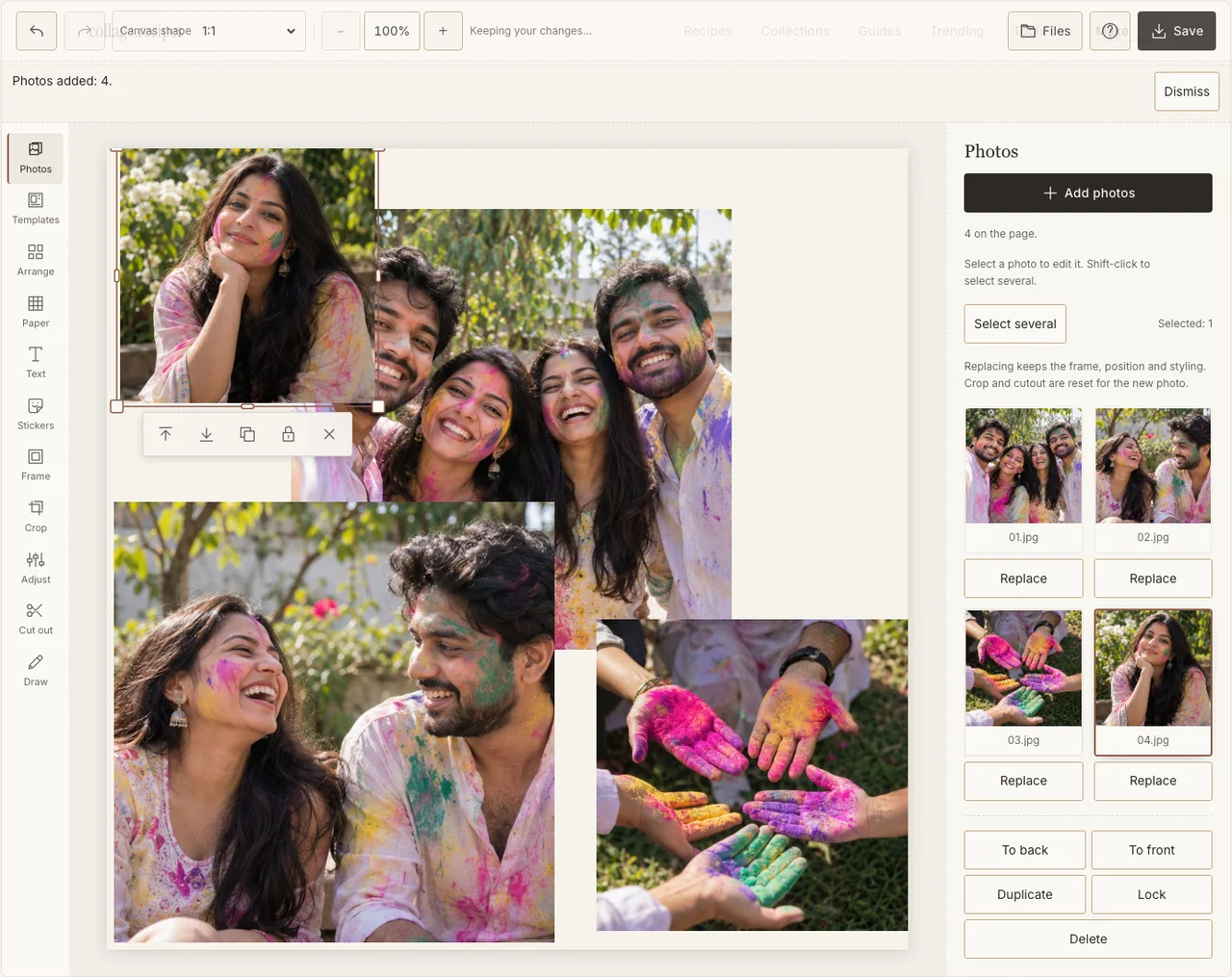
Captured in the actual desktop editor with fictional AI demonstration photographs.
Step 3: Give the clearest portrait the largest frame
Use Arrange in Freestyle. Put the main portrait on the left and three details down the right. Leave a margin between coloured hands and faces so their shapes do not merge. A calmer supporting picture can give the eye a place to rest.
Step 4: Adjust for clarity rather than maximum saturation
Use Adjust on one photograph at a time. Check that skin, clothing and powder still have separate detail. If a vivid area is already clipped in the original, increasing saturation cannot recover it. A pale border in Frame can separate neighbouring pictures without altering their colour. If your browser reports that photo adjustments are unavailable, keep the original colors and continue with frames, text and saving; those controls still work.
Step 5: Keep the caption outside the colour
Choose a quiet Paper background and add a short heading in Text. Our colors is the sample phrase; use the wording that belongs to your group. Put the confirmed date or names in clear paper space rather than trying to make small white letters readable over powder.
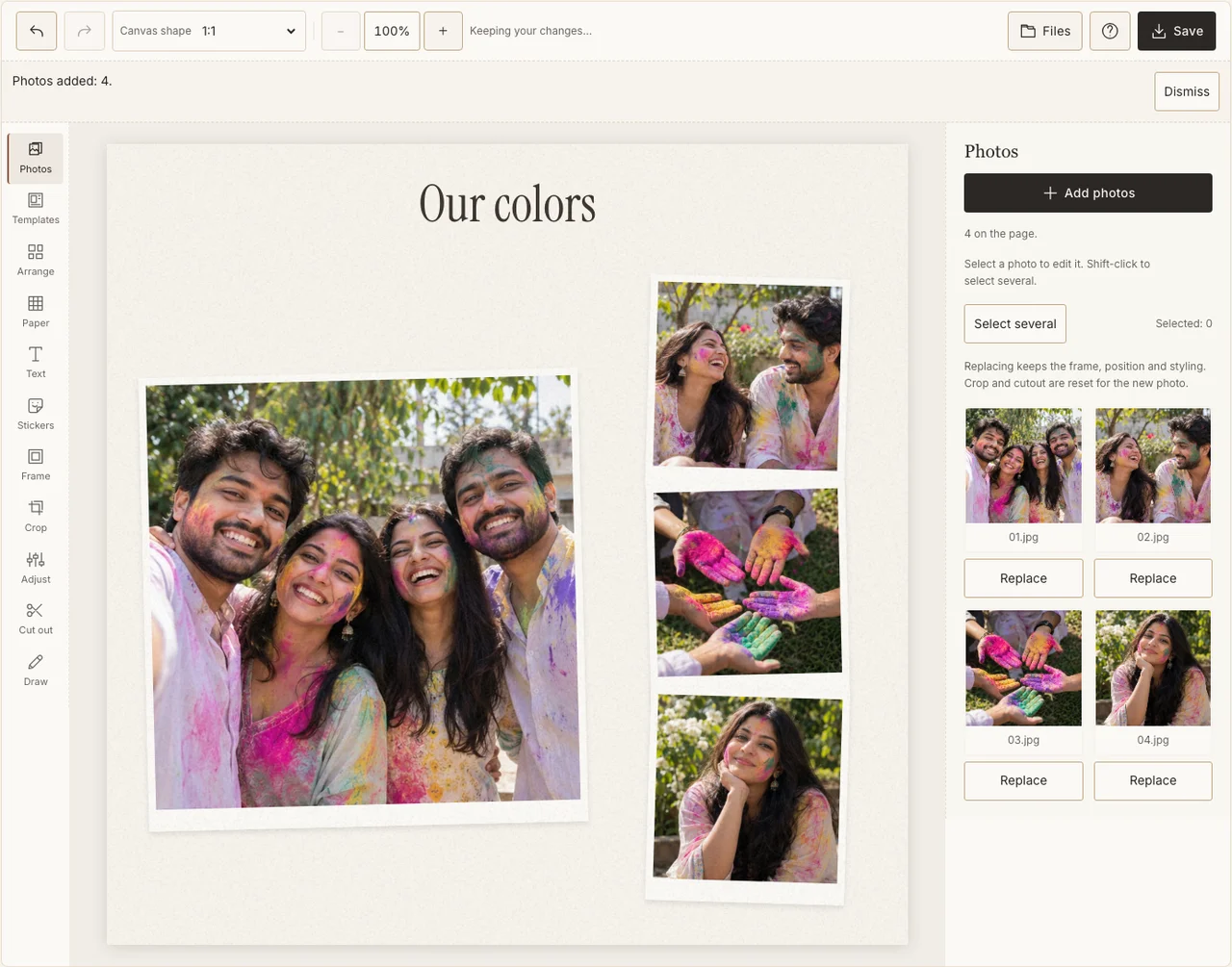
Captured in the actual desktop editor with fictional AI demonstration photographs.
Step 6: Check the JPG on a second screen
In Save, select Share, prepare the JPG and download it. Open it at phone size and check whether the main faces still stand out. A second screen can reveal an overly bright or dark edit, though it is not a calibrated print proof. Revise before sending the final copy.
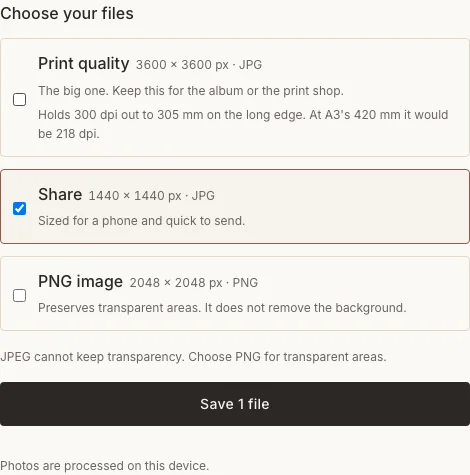
Captured in the actual desktop editor with fictional AI demonstration photographs.
When colour overwhelms the page
| Problem | What to change |
|---|---|
| Faces blend into the background | Choose a clearer portrait or reduce an excessive adjustment. |
| All four images feel equally busy | Replace a crowd shot with a calmer detail. |
| The caption disappears | Move it into paper space and improve contrast. |
Frequently asked questions
Should I add more colour effects to Holi photographs?
Only if they help the image. Photographs may already contain more colour than the layout needs. Check face detail before increasing any effect.
Can I use a photograph from a local event on another date?
Yes. Describe the event you attended and keep its actual date. The calendar holiday is context, not permission to relabel your files.
What if someone does not want their coloured portrait shared?
Replace it with an agreed photograph or another detail. Permission to attend or be photographed does not automatically settle permission for a public collage.
Keep making
For the basic controls, follow the general photo collage walkthrough.