How to Make a Kwanzaa Photo Collage Around Seven Family Stories
Make a Kwanzaa photo collage around seven family stories, with equal frames, the family’s own captions and a real editor example to follow.

Seven photographs can be more than a row of seasonal symbols. Choose seven stories your family wants to keep: helping, learning, making, sharing and spending time together. Then use the collage to give those stories room, with the words chosen by the people in them.
Kwanzaa runs December 26 to January 1. The Smithsonian National Museum of African American History and Culture explains its seven principles and the holiday’s focus on heritage, family and community. This is a photo-layout guide, not a replacement for the family’s observance or an instruction for arranging ceremonial objects.
Choose seven stories before seven pictures
Write down what each chosen photograph means to the people pictured. If you relate those memories to the Nguzo Saba, check the names and your family’s wording rather than treating the principles as decorative labels. Ask whose work or story should be credited. A consenting family meal or an elder’s conversation may belong here more than another close-up of decoration.
The seven-photo practice pack contains fictional AI household images and no kinara. It is a layout exercise, not documentation of a real family’s celebration.
Step 1: Leave enough room for seven equal memories
Open the maker and choose a landscape 4:3 canvas. Plan a balanced group of seven frames with a heading outside them. Seven stories need not fit into a rigid nine-cell page with two invented extras; center a shorter last row instead.
Step 2: Bring in the photographs and their notes
Open Photos, choose Add photos and select the seven files. Keep the short story notes beside you. Check that the images include the people who contributed, not only the most camera-ready relatives. Replace an image if its use or caption is not agreed.
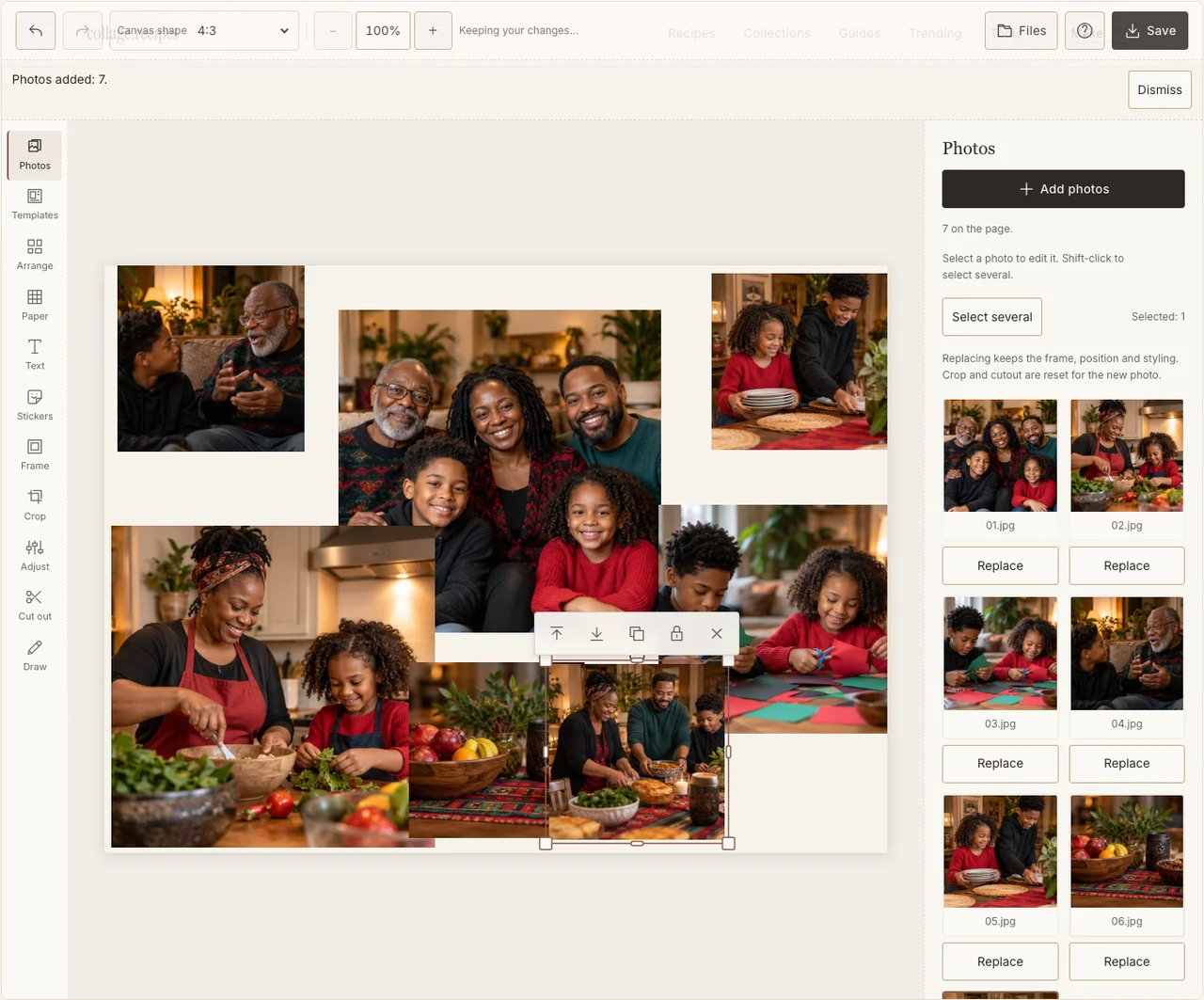
A real desktop-editor capture using fictional AI demonstration photographs.
Step 3: Give the stories consistent space
Use Arrange in Freestyle and make the seven frames similar in size. Keep their reading order clear across the rows. Leave paper beside or below each for a short caption. The page should not make one person’s contribution look minor just because their photograph happened to be smaller.
Step 4: Keep the different rooms and generations legible
Use Adjust to recover a dim face and Frame to give the photographs a shared, restrained edge. Keep an older photograph visibly older if it is part of the family’s story. Avoid a filter that makes all skin tones or rooms look identical. If your browser reports that photo adjustments are unavailable, keep the original colors and continue with frames, text and saving; those controls still work.
Step 5: Add the words approved by the family
In Text, put a short heading above the frames and the chosen captions in the paper space. Use red, green or black with enough contrast if those are part of your design, but make the words readable first. Do not add ceremonial objects or meanings that are not part of your household’s page.
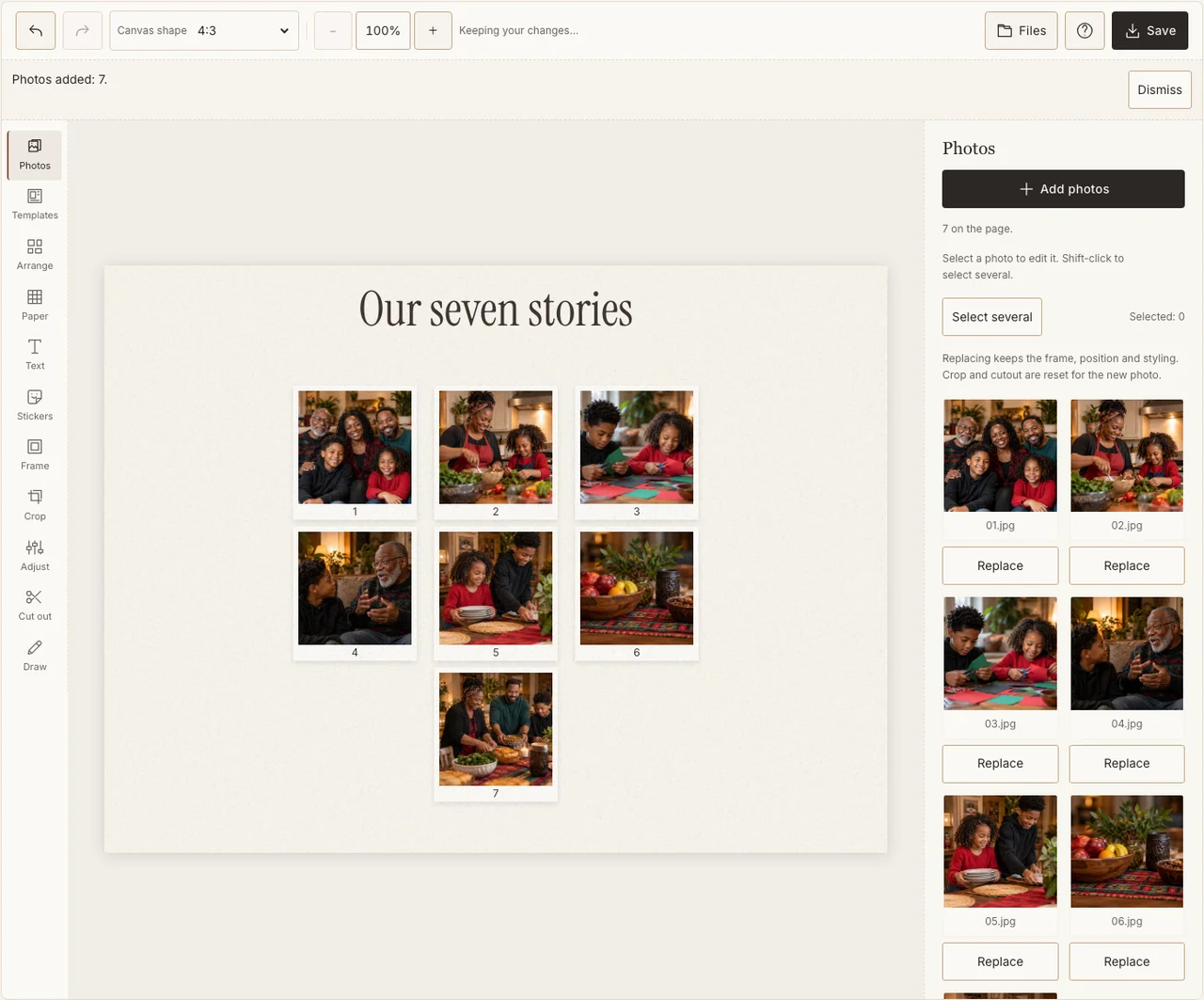
A real desktop-editor capture using fictional AI demonstration photographs.
Step 6: Share a proof with the storytellers
Open Save and choose Share for a JPG. Download the file and show it to the people whose names and stories it includes. Correct wording before making a print or a public post. Keep the year in the file name so this year’s record remains distinct from a future one.
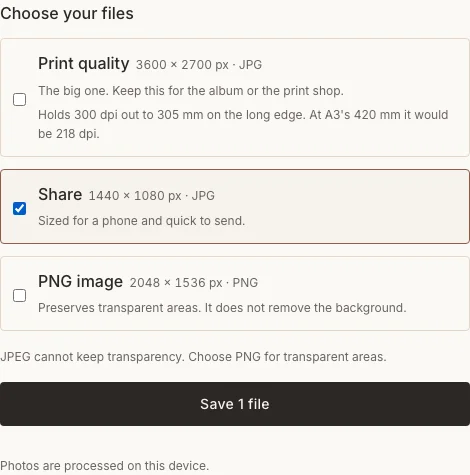
A real desktop-editor capture using fictional AI demonstration photographs.
When seven frames need a different treatment
| Difficulty | Change |
|---|---|
| A caption needs several sentences | Keep a short phrase on the image and save the fuller account separately. |
| A family member is missing | Replace a repetitive detail photo with a consented image that includes them. |
| You have fewer than seven photographs | Use the truthful set you have; seven stories can include an approved text memory. |
Frequently asked questions
Must I photograph a kinara?
No. The page can center the family, their activities and their chosen stories. If ceremonial objects appear in your photographs, preserve them accurately rather than treating them as interchangeable holiday stickers.
Can a principle be represented by an everyday photograph?
Your family can choose a photograph and explain its meaning in its own words. The collage is a personal reflection, not a universal visual definition of the principle.
Can I use the sample as historical family material?
No. The example photographs are AI-generated and fictional. For your own record, use genuine family photographs and confirmed captions.
Keep making
The basic collage guide covers the controls used here if you want a general introduction first.