How to Make a Purim Photo Collage of Costumes and Food Gifts
Make a Purim family photo collage of homemade costumes and food gifts. Use a four-photo layout, checked captions and actual editor screenshots through download.

A costume photograph can keep the finished result but miss the work behind it. For this Purim page, choose one family costume portrait and three moments of making, preparing or sharing food gifts. Give credit to the people whose work made the day possible.
Purim in 2027 begins the evening of March 22 and ends the night of March 23. The Chabad date guide also distinguishes Shushan Purim, observed in Jerusalem on March 24. Use your community’s date and preferences; this photo tutorial does not provide instructions for religious observance.
Keep the family’s actual story
Choose a group in homemade costumes, a making detail, food-gift preparation and a meal or relaxed family moment. Ask before sharing children or gift recipients. A picture of the prepared gift can tell the story without identifying the person receiving it. Use the family’s real descriptions rather than guessing the meaning of a costume.
The practice photo pack contains fictional AI examples, not records of a real family or event. Unzip it to try the layout, then replace the images with your own.
Step 1: Set up a square keepsake
Open the maker and choose a 1:1 canvas. Leave room for a heading above four frames. If you want to include the people who sewed or cooked, plan their place now instead of adding tiny extra portraits at the end.
Step 2: Add photographs of the people and their work
Use Photos and Add photos to select four files. Check that the main costume picture shows the details you want to remember. Keep the original files, especially if a larger print may be wanted later.
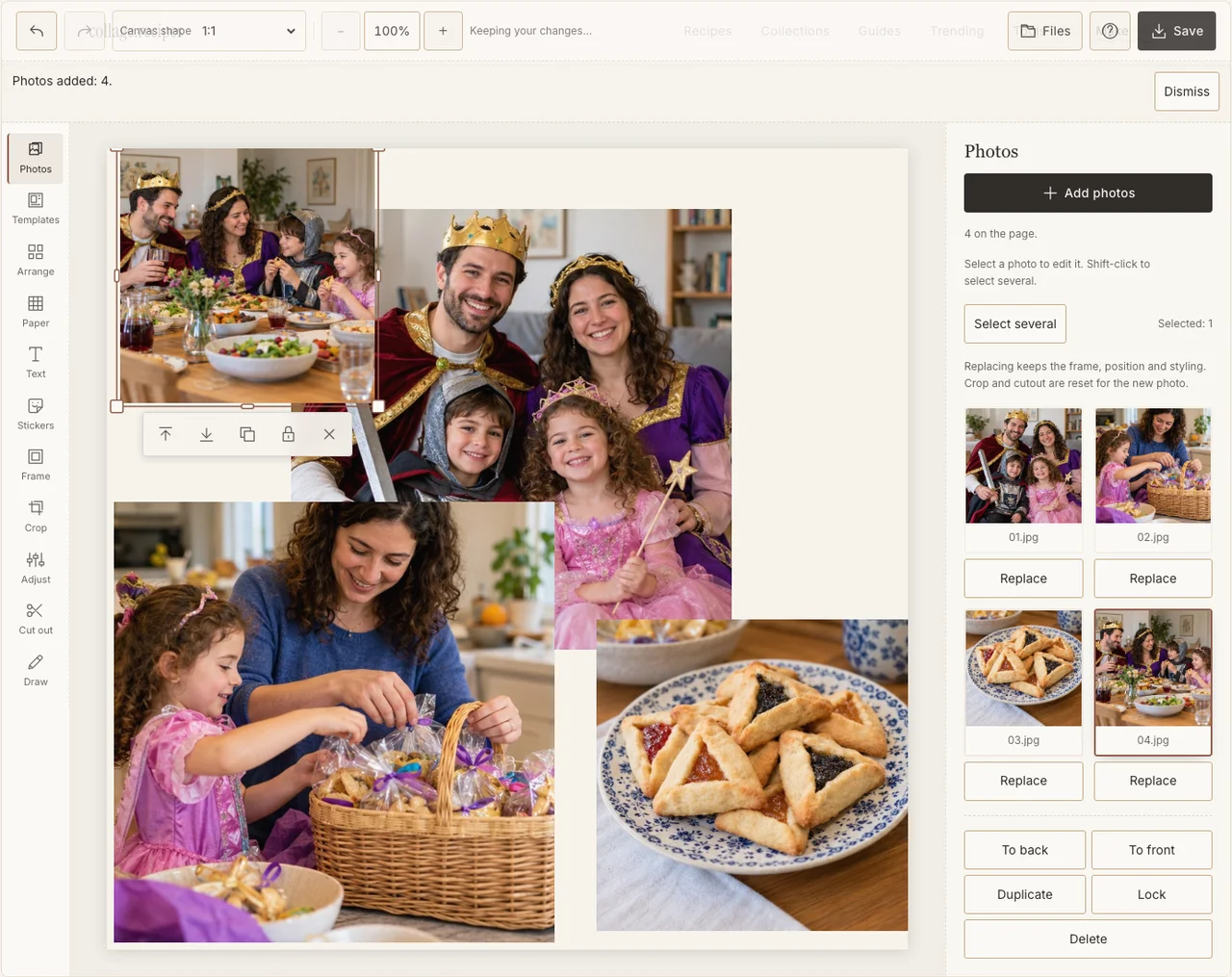
Captured in the actual desktop editor with fictional AI demonstration photographs.
Step 3: Lead with the family costume picture
In Arrange, use Freestyle and give the group the large frame on the left. Place the smaller making, gift and meal moments on the right. Avoid cropping a costume feature that makes the photograph meaningful; reduce the frame or select another crop if necessary.
Step 4: Use consistent frames without rewriting the photographs
Choose a simple border in Frame. Use Adjust only where light or contrast makes a face difficult to see. Keep the food, costume materials and household colours as they were rather than applying an effect that removes their differences. If your browser reports that photo adjustments are unavailable, keep the original colors and continue with frames, text and saving; those controls still work.
Step 5: Add a short caption and a useful credit
Use Text for a heading and, if there is room, a short credit for a maker or contributor. Keep it on a quiet Paper ground outside the frames. If using Hebrew, check the exact words and exported appearance with a reader rather than inserting decorative script you cannot verify.
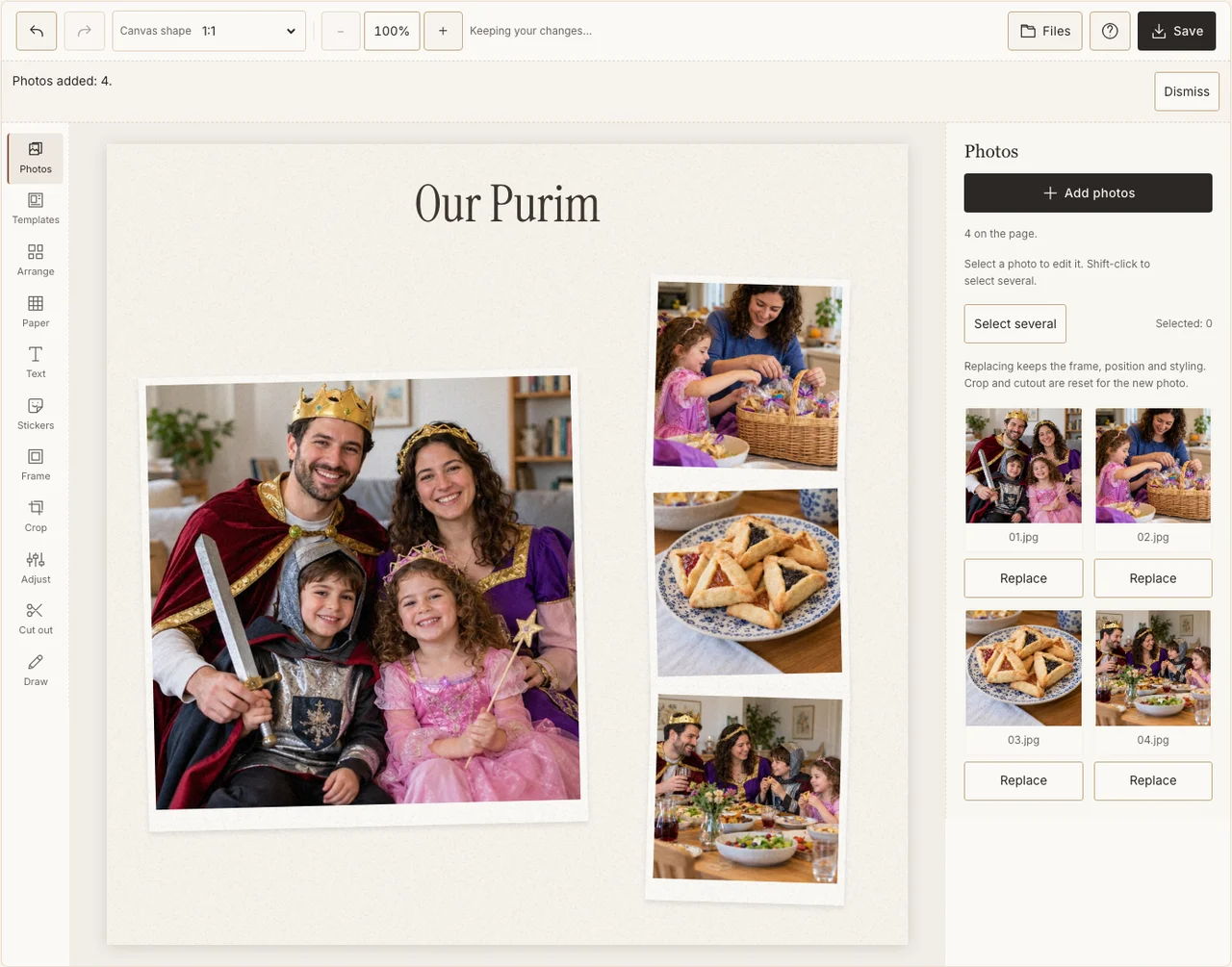
Captured in the actual desktop editor with fictional AI demonstration photographs.
Step 6: Download and check the costume edges
Choose Share in Save, prepare the JPG and download it. Open it and check the costume details, faces, credit and any date. Use Print quality for a print only after checking the intended crop and original resolution. Send the version agreed by the family.
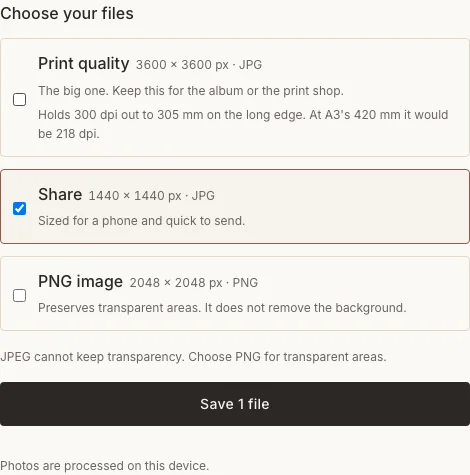
Captured in the actual desktop editor with fictional AI demonstration photographs.
Helpful corrections
| Concern | What to do |
|---|---|
| A costume edge is cropped away | Resize the frame or choose a wider image. |
| A gift identifies a private recipient | Use preparation or the gift alone instead. |
| The date follows another community’s calendar | Confirm the observance and correct the caption. |
Frequently asked questions
Does the collage need a photograph of a scroll reading?
No. Costumes, food preparation and a family gathering can be the whole subject. Follow the rules and preferences of any place or observance you photograph.
Is Purim the same occasion as Halloween?
No. A shared use of costumes does not make the holidays interchangeable. Use Purim’s own family context and words rather than importing Halloween symbols.
Can I finish it before the celebration?
You can prepare a layout or an advance greeting using earlier pictures. Complete a record of this year’s event after the photographs have actually been taken.
Keep making
For general crop and frame controls, see the basic photo collage guide.