How to Make a St Patrick's Day Photo Collage with Friends
Make a St Patrick's Day photo collage from your own gathering, with people-first photo choices, a readable layout and real editor screenshots through download.

A friends’ lunch, music session or local outing can make a more memorable St Patrick’s Day page than a collection of novelty graphics. Choose one photograph of the people and three moments that explain what you actually did. The result should recall your gathering rather than imply you attended a famous parade elsewhere.
St Patrick’s Day falls on March 17, 2027; the calendar listing confirms the date. Local events may take place on another day. Caption the outing you attended and avoid presenting a costume or drinking cliché as a definition of Irish culture.
Pick a gathering you can name
Choose a clear portrait with friends, a shared meal, a music or activity detail and a walk or venue picture. Use a musician’s image only where photography and sharing are permitted. The example uses adults and modest green accents; alcohol and costumes are not part of the required photo list.
The practice photo pack contains fictional AI examples, not records of a real family or event. Unzip it to try the layout, then replace the images with your own.
Step 1: Give the outing one page
Open the maker and choose a square 1:1 canvas. Reserve a heading area and four frames. If the event was held at the weekend rather than on March 17, plan to write its real date or simply describe the outing.
Step 2: Add four photographs with a clear main image
In Photos, choose Add photos and select the files. Compare the group portraits for open eyes and visible faces. Avoid using the only technically sharp frame if it includes someone who did not agree to be in the page.
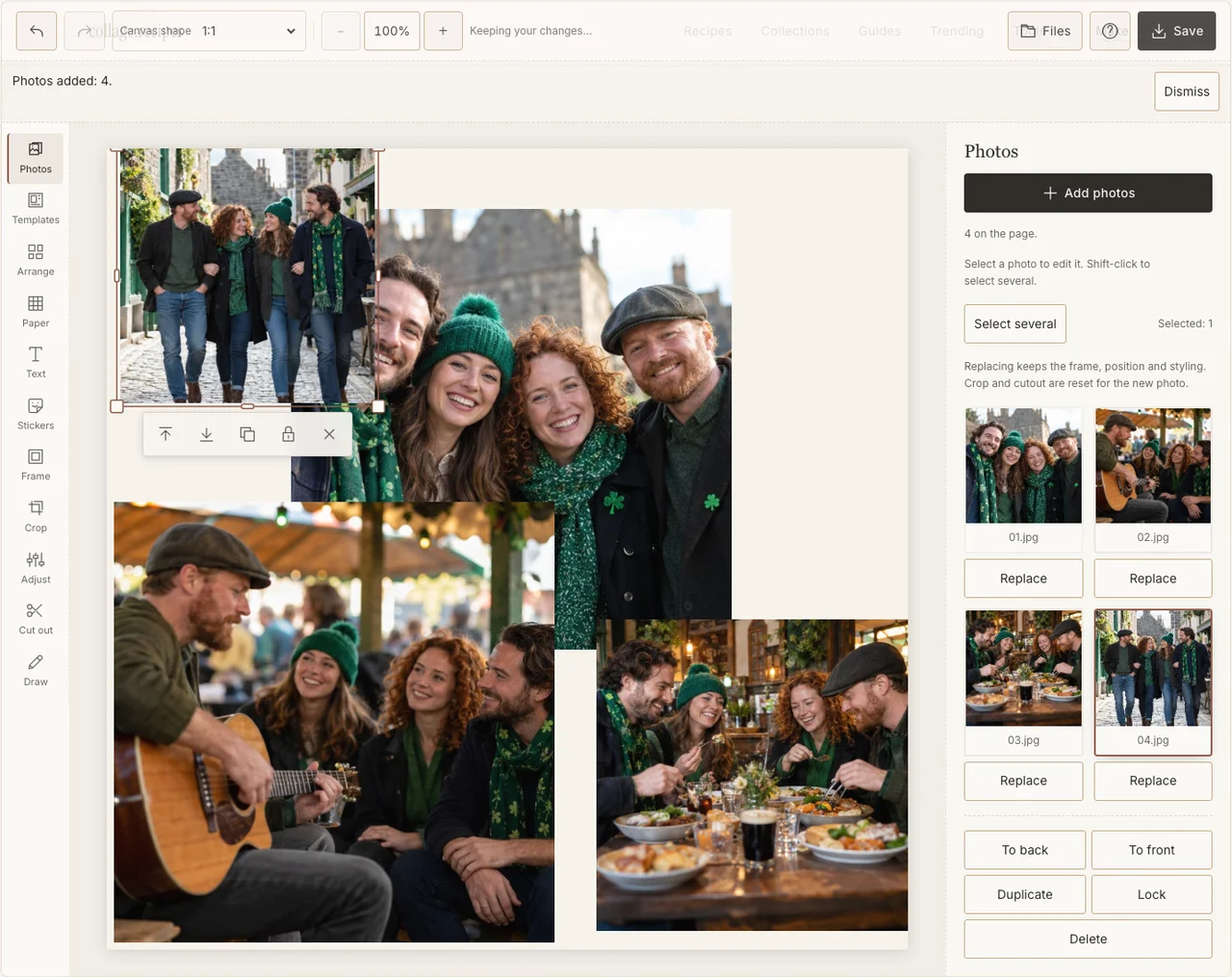
Captured in the actual desktop editor with fictional AI demonstration photographs.
Step 3: Put friends ahead of decorations
In Arrange, use Freestyle to place the group on the left and the three smaller activity photographs down the right. Keep a music detail or street view subordinate to the portrait. Trim empty pavement from a supporting picture before reducing every face to make room.
Step 4: Connect the pictures with a light border
Use Frame for a consistent edge and Adjust on a particularly dim indoor picture. Preserve the difference between the lunch room and outdoor light. One existing green accent can be enough; a green colour cast across skin makes faces harder to read. If your browser reports that photo adjustments are unavailable, keep the original colors and continue with frames, text and saving; those controls still work.
Step 5: Name what happened
Add a short heading with Text, such as the group’s own phrase for the day. Use a neutral Paper background and keep the actual place or date small but legible. Do not copy a major festival’s name onto an unrelated local outing.
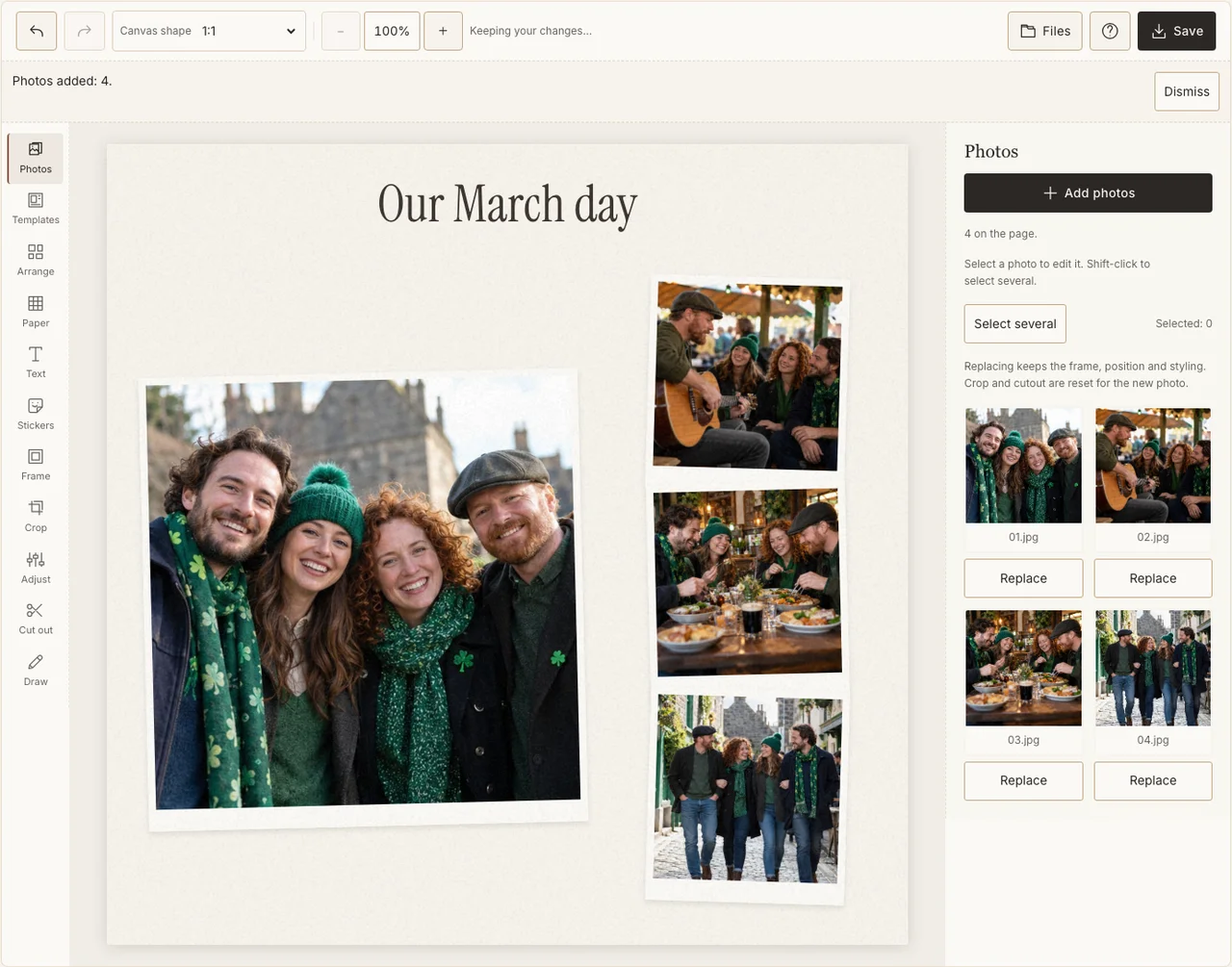
Captured in the actual desktop editor with fictional AI demonstration photographs.
Step 6: Inspect the downloaded gathering
Choose Share in Save, prepare the JPG and download it. Open it on a phone and check the friends’ faces, music frame and place name. Correct a wrong date or caption in the editable page and download again before circulating the file.
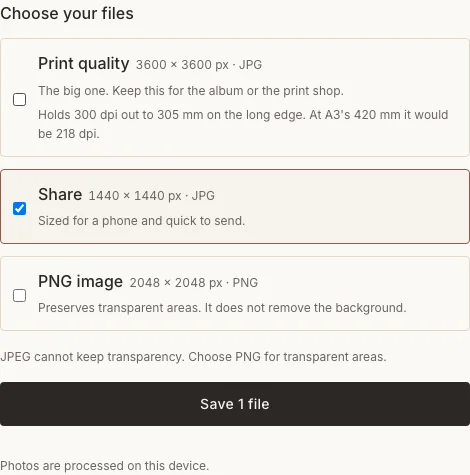
Captured in the actual desktop editor with fictional AI demonstration photographs.
Common choices
| Concern | A practical change |
|---|---|
| Every picture is a distant street scene | Add a clear permitted group photograph. |
| The venue is not identified confidently | Use a truthful general outing caption. |
| Novelty decoration crowds the people | Remove it and enlarge the main frame. |
Frequently asked questions
Does the collage have to be green?
No. Use colours that suit your actual pictures. A small accent or the heading can establish the occasion without recolouring the entire page.
Can I include a parade photograph?
Yes, if it is yours to use and appropriate to share. Name the real event only if confirmed, and consider whether identifiable people should appear in a public version.
Can I use a celebration from the weekend before March 17?
Yes. Keep the actual date or use a broader gathering caption. A collage can remember the event without claiming it happened on the holiday itself.
Keep making
For general arrangement controls, see the photo collage tutorial.