How to Make a Tết Family Photo Collage
Make a Tết family photo collage with reunion photographs, food details and accurate dates, using a practical four-picture browser-editor walkthrough.

A Tết page can keep the people who came home, the food someone taught you to make and the small visit that mattered. It should look like your family’s Tết rather than a generic collection of red holiday graphics. This four-photo walkthrough puts a reunion portrait beside three details chosen from the same family’s gathering.
Vietnamese New Year falls on February 6, 2027, in the 2027 Vietnam calendar. The gathering you photograph may be on another day of the season. Use its actual date, and do not assume that another country’s Lunar New Year public-holiday schedule is Vietnam’s schedule.
Choose the family’s own details
Start with a group photograph and add food preparation, a home decoration and a shared meal or visit. Bánh chưng and particular blossoms may belong to some families’ pictures; they are not compulsory props for everyone. Confirm names and the words used by the people receiving the page.
For the controls, you can download the AI practice photos. The fictional scenes illustrate a Vietnamese family’s domestic gathering; they do not document real relatives or prescribe a ceremony.
Step 1: Start with a square family page
Open the maker and select 1:1 under Canvas shape. Leave a band for a short greeting or date before arranging the photographs. For a printed gift, use the printer’s dimensions instead of relying on this digital example’s square shape.
Step 2: Load four photographs with different jobs
Choose Photos and Add photos, then import the four JPGs. Keep the reunion portrait distinct from the food and decoration details. If a photograph includes a private family space or someone who does not want to be pictured, choose an alternative before making the public draft.
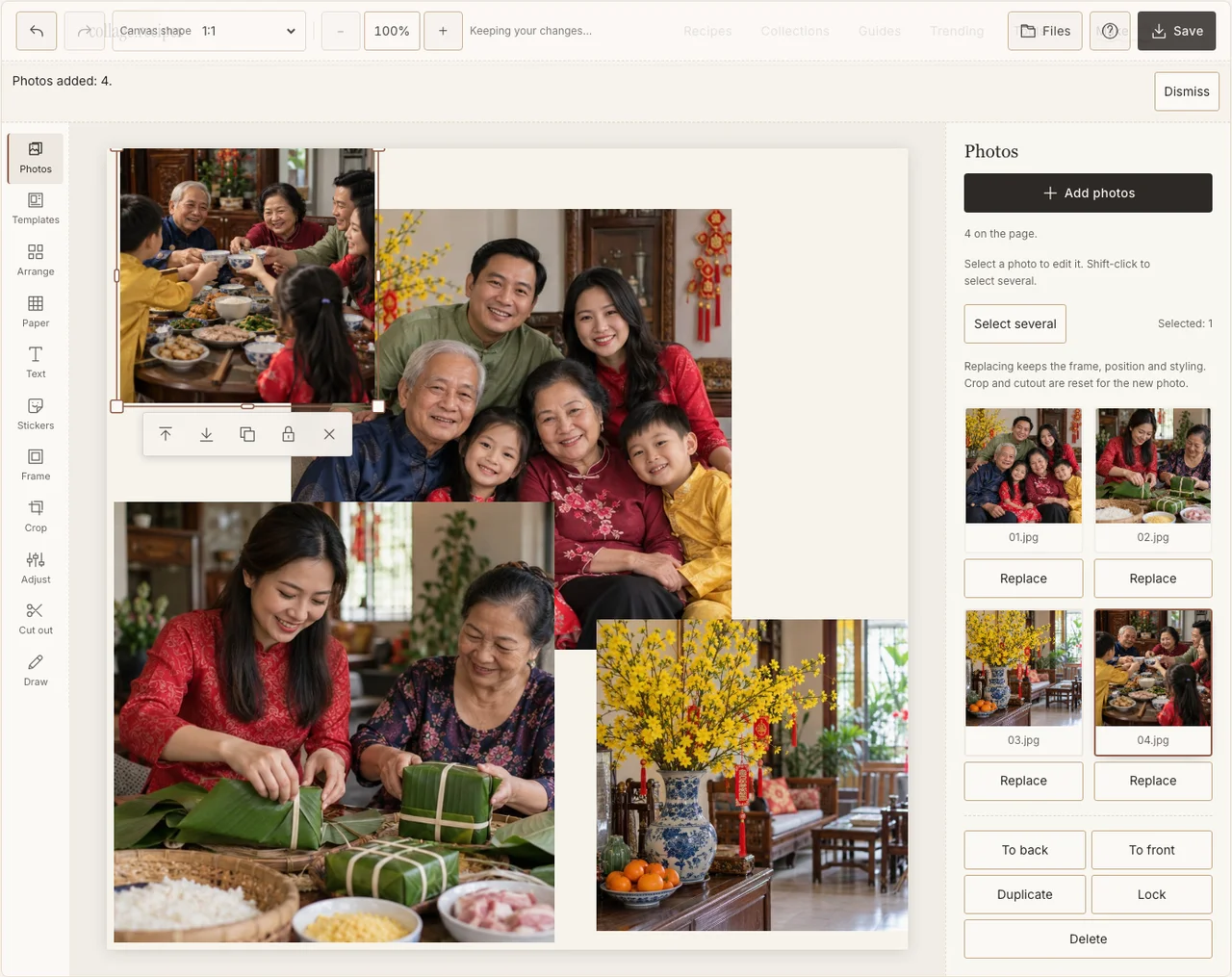
A real desktop-editor capture using fictional AI demonstration photographs.
Step 3: Place the reunion first
In Arrange, use Freestyle to give the group a generous frame. Put the preparation and meal photographs nearby, with the decoration as a smaller detail. Keep faces and clothing inside the crop. A food picture can help identify the gathering without becoming larger than all the people combined.
Step 4: Keep the colors that were actually there
Use Adjust on a dim indoor portrait and Frame for a consistent edge. Avoid tinting the whole page red; the photographs already contain their own light and colors. Preserve the difference between an outdoor visit and the warm home table. If your browser reports that photo adjustments are unavailable, keep the original colors and continue with frames, text and saving; those controls still work.
Step 5: Add checked words and the real year
Use Text for a short Tết greeting or a family-selected caption, then check the exported accents and names. Choose a calm Paper background and give the words enough space. Do not add another culture’s costumes, zodiac graphics or ritual objects simply because they appear in a general New Year sticker search.
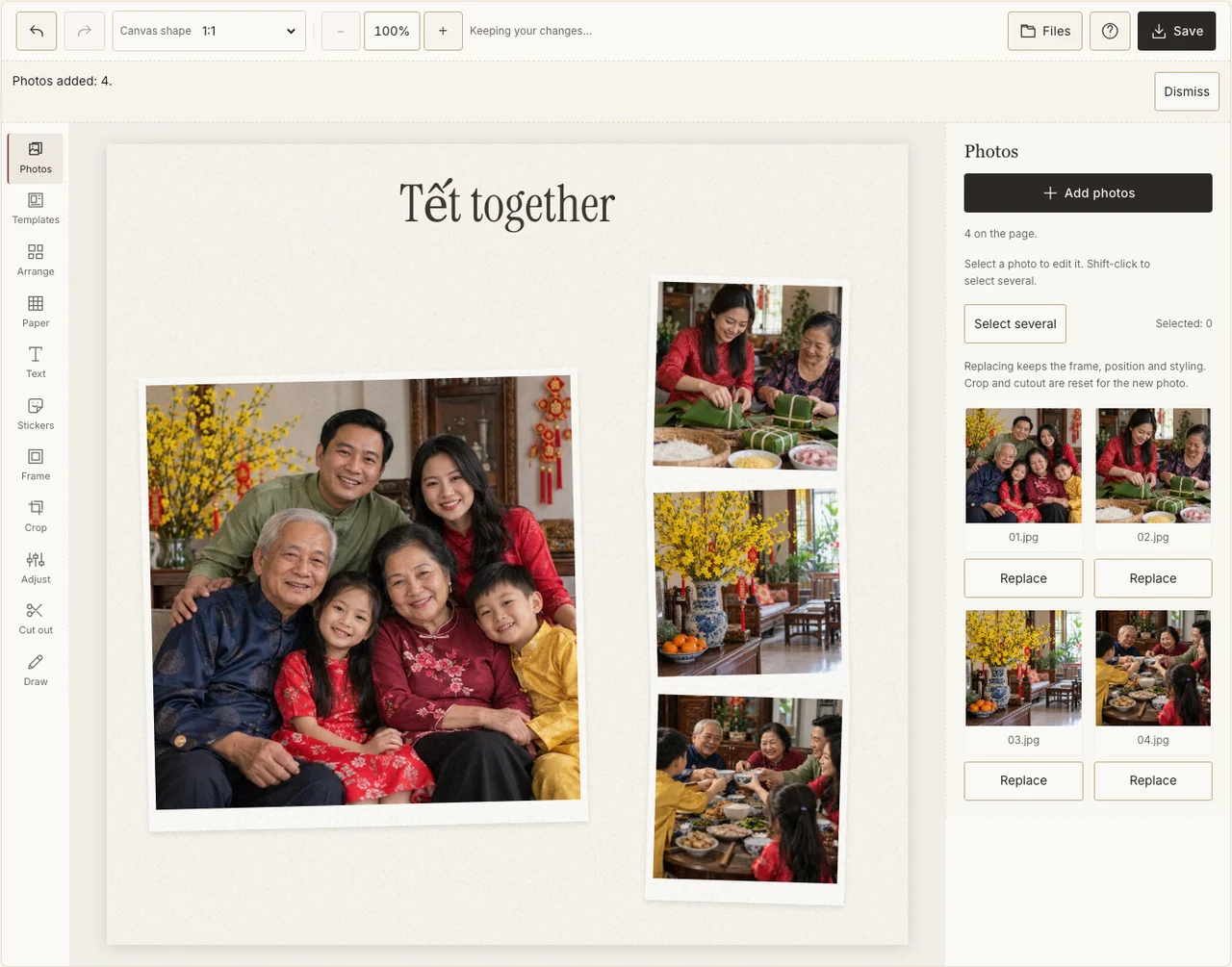
A real desktop-editor capture using fictional AI demonstration photographs.
Step 6: Download a version for the family to read
In Save, choose Share, prepare the JPG and download it. Open the file outside the editor and check the smallest names and the people at the frame edges. Keep the year in the filename and make a separate layout if you later need a tall story or a different print shape.
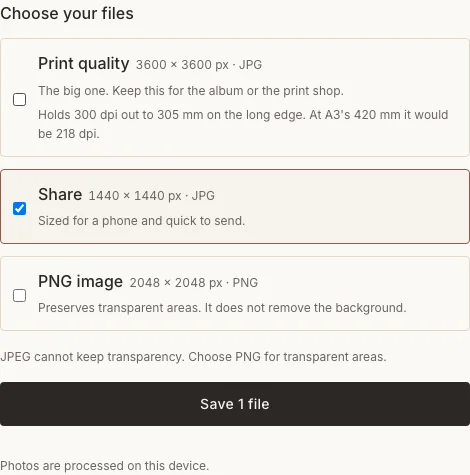
A real desktop-editor capture using fictional AI demonstration photographs.
Keep the memory specific
| Concern | Adjustment |
|---|---|
| The page could be any New Year celebration | Replace a generic decoration with your household’s food, visit or family moment. |
| A name loses its accents | Check the text and downloaded glyphs before sending. |
| The date came from another country’s calendar | Use the date of your family’s own gathering. |
Frequently asked questions
Is Tết the same collage project as a Chinese New Year page?
The editor controls can be the same, but the family customs, photographs and words need not be. This walkthrough uses a Vietnamese family context and does not exchange it for another culture’s decorations.
Can I make a greeting before the reunion?
Yes. Use photographs already available and identify it as a greeting. Finish a recap of the reunion only after its photographs exist.
Do I need a particular flower or dish?
No. Use the details that belong to your family. A personal photograph with a confirmed caption is more useful than a borrowed symbol chosen to meet a checklist.
Keep making
For the basic controls without an occasion, use the beginner’s collage tutorial.