How to Make a Valentine's Day Photo Collage for Someone You Love
Make a Valentine's Day photo collage from four ordinary shared memories. Follow the real maker workflow for a personal message, readable frames and a JPG download.

A Valentine’s collage works best when its recipient recognises the small things: a rainy walk, the meal you made badly, the café you keep returning to. Choose four memories and write one sentence that belongs to them. The page does not need to tell the internet the whole relationship.
Valentine’s Day falls on February 14, 2027; the calendar listing confirms the date. This example is a private gift for an adult partner. The same approach works for a friend or another loved one when the pictures and wording fit that relationship.
Choose a story the recipient will recognise
Pick a clear picture together and three moments from everyday life. Four almost identical selfies leave less room for a story. Avoid adding screenshots of private conversations, an address or an announcement that the other person has not agreed to share. If you use an older photograph, keep its real place in the sequence.
The practice photographs are fictional AI examples. Unzip the pack for this exercise; use your own photographs and confirmed captions for the version you share.
Step 1: Choose a shape for the gift
Open the maker and choose 1:1 for this digital keepsake. Decide whether you will send the file privately or print it. If a printer needs a particular ratio, select a matching supported shape and check its crop preview before ordering.
Step 2: Add the four memories
Open Photos, choose Add photos and select your files. Check the strongest portrait at full size. A downloaded social post may be too small for a large frame, so use the original camera photograph when available.
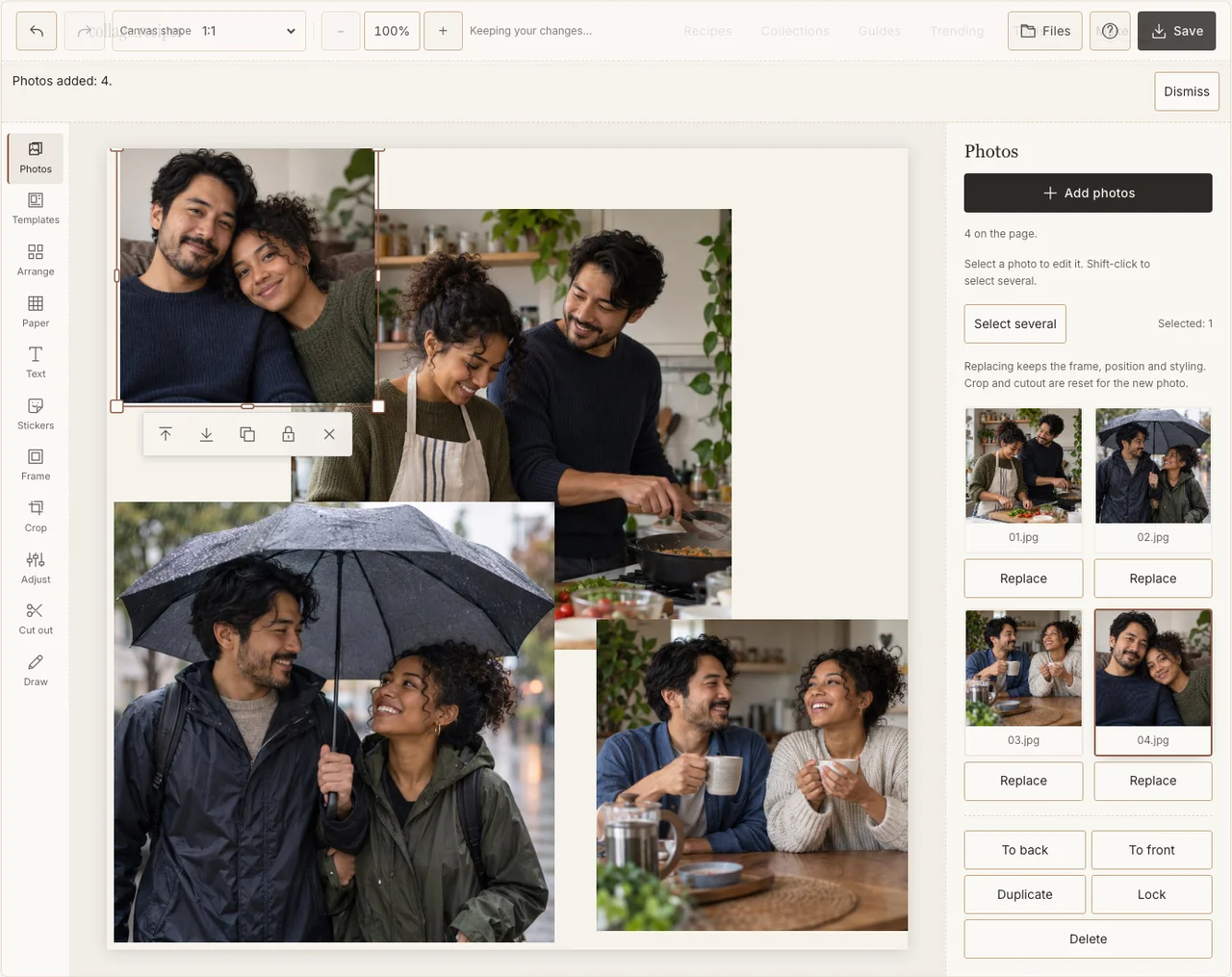
Captured in the actual desktop editor with fictional AI demonstration photographs.
Step 3: Build around the shared portrait
In Arrange, keep Freestyle and make the shared cooking scene the largest frame on the left. Put three smaller memories on the right. Leave space at the top for the message. If the portrait needs a wide crop to keep both people, reduce its size rather than cutting one person off.
Step 4: Keep the different days recognisable
Use Frame for a consistent edge and Adjust only where an image needs help. A rainy-day photograph can remain cooler than a kitchen photograph. Retaining that difference makes the page feel like separate memories instead of a single staged shoot. If your browser reports that photo adjustments are unavailable, keep the original colors and continue with frames, text and saving; those controls still work.
Step 5: Write one specific sentence
Choose Text and add a short message in the clear paper area. Our little things is the sample heading; your own line might name the walk, joke or meal. Use Paper for a low-contrast background, then give the lettering enough contrast to remain readable in the downloaded file.
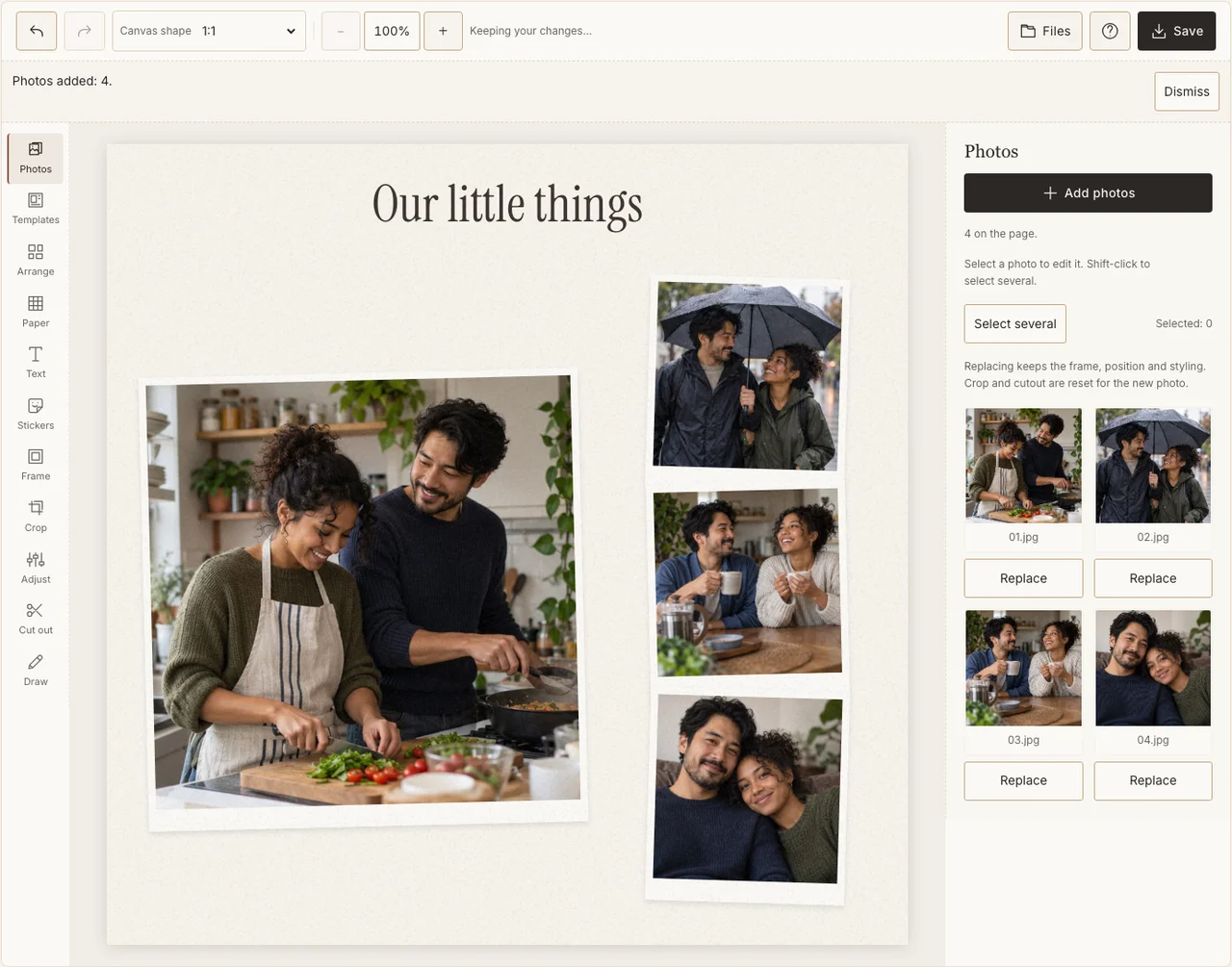
Captured in the actual desktop editor with fictional AI demonstration photographs.
Step 6: Read the downloaded gift at its intended size
In Save, choose Share, prepare and download the JPG. Open it at phone size and check both faces and the complete sentence. For a print, use Print quality and make a small proof. Keep the private version separate from any shortened version you both agree to post.
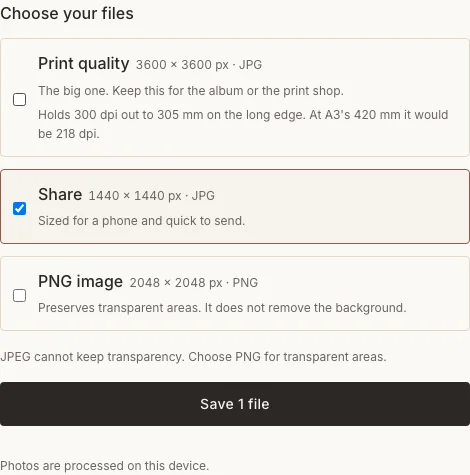
Captured in the actual desktop editor with fictional AI demonstration photographs.
When the message does not fit
| Problem | A better choice |
|---|---|
| A paragraph becomes tiny | Keep one sentence on the page and send the letter separately. |
| The main picture crops one person | Resize the frame or choose another photograph. |
| You are unsure about posting it | Give the file privately and ask before making it public. |
Frequently asked questions
Do I need hearts and red backgrounds?
No. A recognisable memory and a specific message can carry the gift. Use decorations only when they suit the recipient and leave room for the photographs.
Can I make this for a friend?
Yes. Choose memories and wording appropriate to your friendship. A romantic caption is not a required part of the layout.
Can I make a transparent sticker from it?
The maker offers a transparent PNG export for layering, but that option does not automatically remove a solid paper background. Check the actual transparency before treating the file as a cutout sticker.
Keep making
For a more focused couple keepsake, see the couple photo recipe.