How to Make a Diwali Photo Collage with Your Family Photos
Build a Diwali family photo collage with a clear group portrait, rangoli and sweets, using real maker controls and a downloadable example.

The photograph of the lights is often clearer than the photograph of the family. Give the people the main frame, and let the rangoli, sweets and small lamps explain the evening around them. This guide makes a four-photo memory of one household’s Diwali, using the customs and pictures that belong to that household.
India’s official tourism calendar lists Diwali on November 8, 2026. Incredible India provides the calendar reference. Communities and families observe different parts of the season; caption your own gathering rather than suggesting that everyone celebrates in the same way.
Gather a portrait and three details
Choose a clear group portrait, the rangoli or another decoration your family made, a plate of sweets and one quiet conversation. A personal detail is more useful here than a borrowed photograph of a famous building. For a gathering in a place of worship, use photographs only where photography and sharing are welcome.
You can practice with the AI demonstration photo pack. Unzip the files before opening them in the maker. These are fictional family images, not a record of a real celebration.
Step 1: Choose a shape for the family memory
Open the maker and set Canvas shape to 1:1. A square is convenient for a family-chat keepsake. If the final destination is a printed card, get its required dimensions first; the square used in this demonstration is not a promise of a particular paper fit.
Step 2: Import the four photographs together
In Photos, use Add photos and choose the four JPGs. Keep the group photograph recognizable in its thumbnail. If it is too dark to identify faces at all, use a better portrait from the same gathering rather than expecting a decorative filter to recover missing detail.
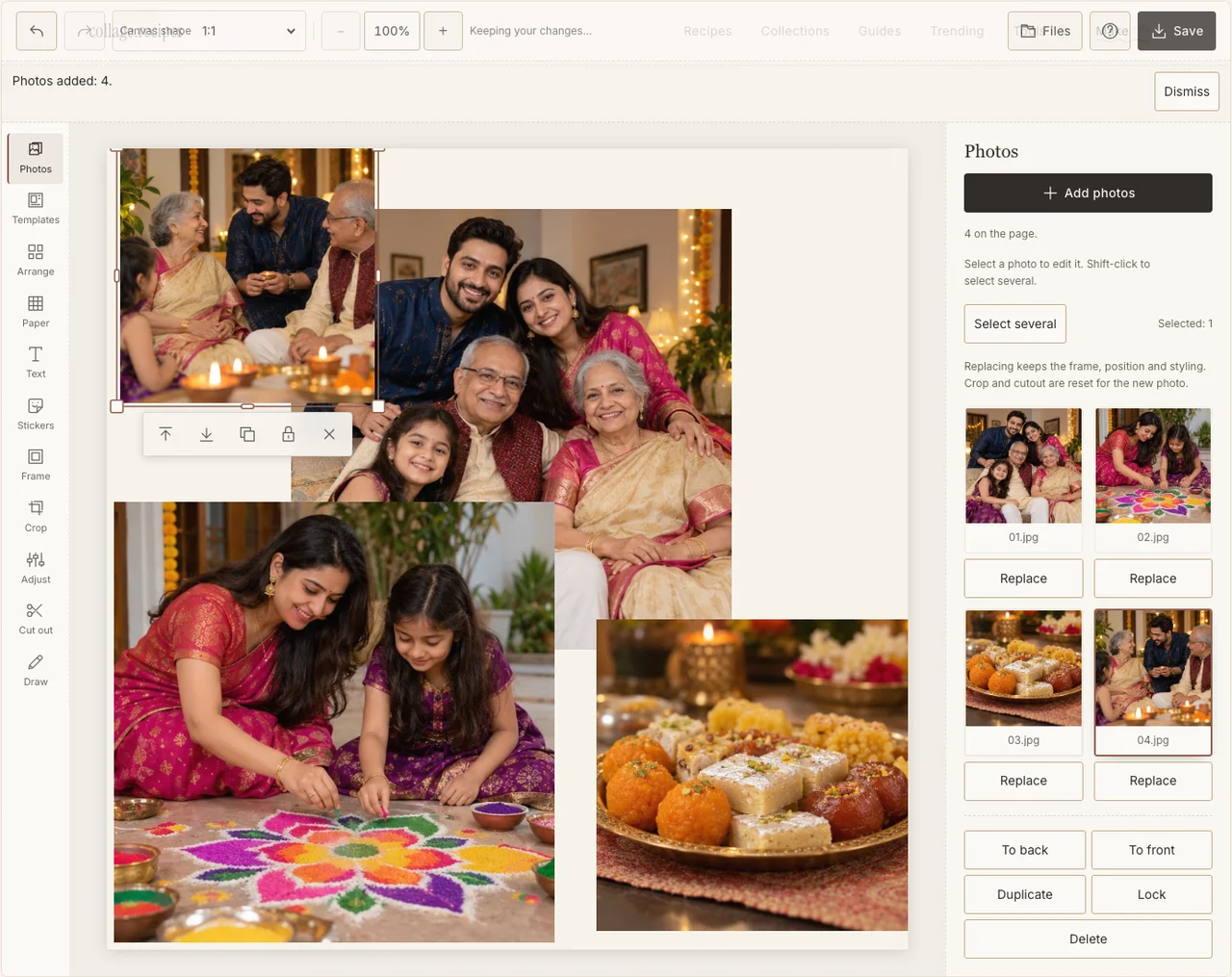
Actual desktop editor. The example photographs are AI-generated demonstrations; the controls and exported collage are real.
Step 3: Let the family anchor the page
Open Arrange and work in Freestyle. Make one frame for the family and keep the three details in a smaller sequence beside or below it. Give the rangoli enough room for its shape to remain visible. A close-up with all its edges cut off can look like an unrelated patch of color.
Step 4: Balance people against the glow
Use Adjust separately on the portrait and the bright detail photos. Bring the faces into view without flattening the lamps into white patches. Add a modest light border in Frame so the darker photographs remain distinct from their neighbors. If your browser reports that photo adjustments are unavailable, keep the original colors and continue with frames, text and saving; those controls still work.
Step 5: Write your own household’s greeting
In Paper, choose a quiet cream ground. Add a short greeting in Text, followed by the year or the family’s chosen wording. Keep any name or transliteration confirmed by the person it describes. Decoration is optional; the rangoli and food already locate this particular evening.
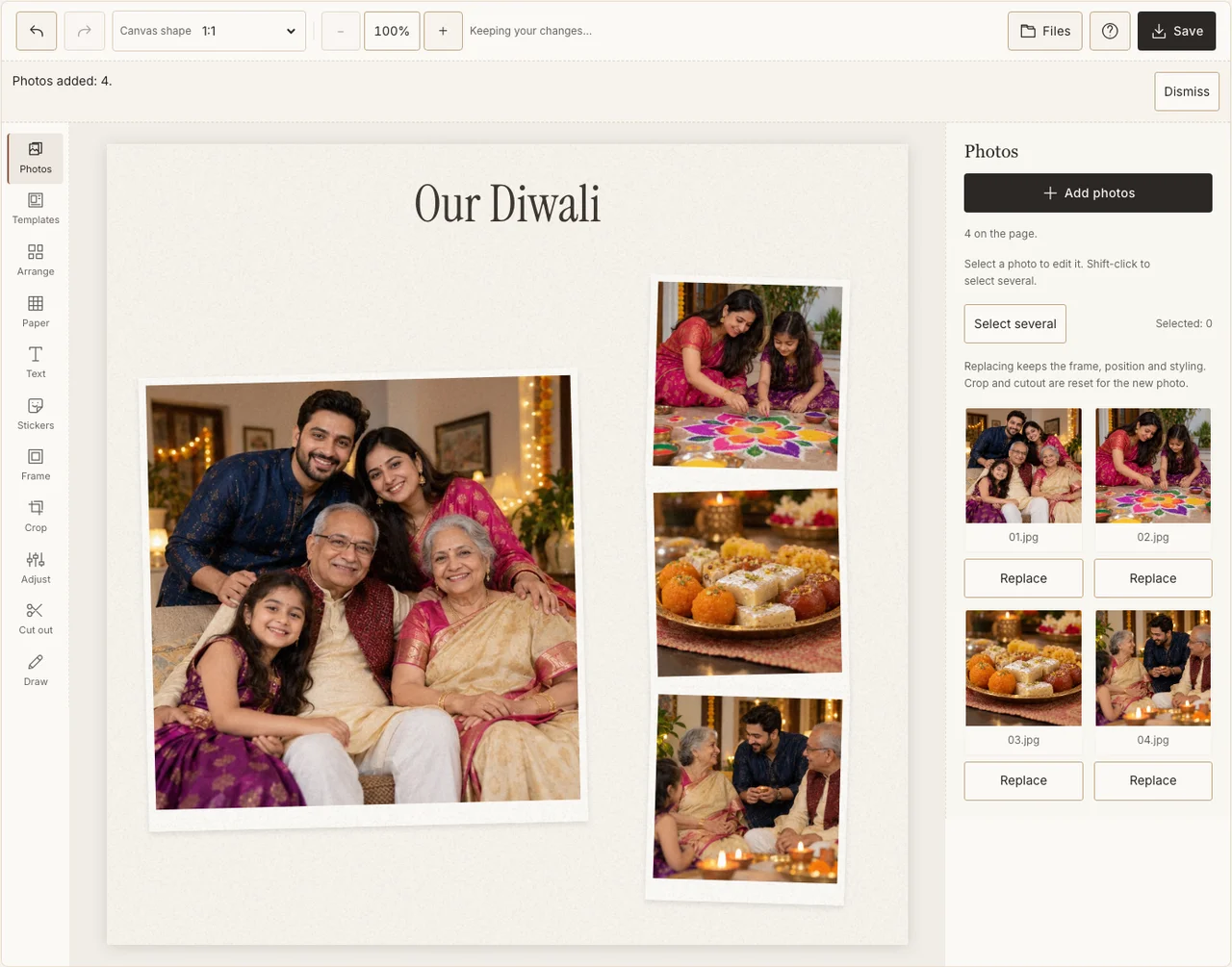
Actual desktop editor. The example photographs are AI-generated demonstrations; the controls and exported collage are real.
Step 6: Download and inspect the small version
Choose Save, select Share, prepare the JPG and download it. Open the file on its own and check that the main faces and greeting remain readable. For a print, prepare the larger Print quality file separately and inspect the print service’s crop preview.
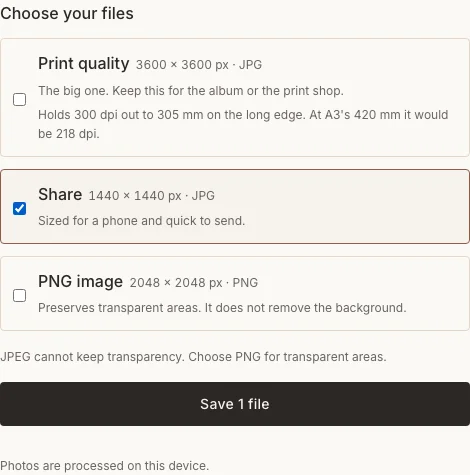
Actual desktop editor. The example photographs are AI-generated demonstrations; the controls and exported collage are real.
Keep these details intact
| What goes wrong | A better choice |
|---|---|
| The light photographs overpower the portrait | Make the portrait larger and reduce the decorative detail frames. |
| A greeting looks ornamental but cannot be read | Use fewer words in a supported, readable face. |
| The collage shows customs your family did not use | Remove the borrowed motif and use a photograph from your gathering. |
Frequently asked questions
Do I need photos of lamps?
No. A family portrait, a sweet someone made and a conversation can be enough. Use the details that are part of your celebration rather than adding a ritual scene to satisfy a visual checklist.
Can I make an advance Diwali greeting?
Yes. Use photographs already taken and write an advance greeting. If you want to record the November gathering itself, finish that version afterward, when its photos exist.
Will the PNG option remove the background?
No. Transparent PNG preserves transparency already in the canvas. A cream Paper background stays cream in the file. Choose no background only when you deliberately want transparent areas.
Keep making
The beginner’s collage guide explains the general controls; the seasonal collection offers other independently written occasion ideas.