How to Make a Lantern Festival Family Photo Collage
Make a Lantern Festival family photo collage with one evening portrait, tangyuan or household details, readable night photos and a real JPG export.

An evening collage can turn into four dark rectangles if you choose only distant lantern photographs. Start with one readable picture of the people, then use three details to recall where you were and what you did. This project closes a family reunion season with a single evening page.
In the Chinese calendar, the Lantern Festival falls on the fifteenth day of the first lunar month: February 20, 2027. The Hong Kong Observatory February calendar gives the lunar-date correspondence. A local lantern event may run on other dates; use its actual schedule rather than assuming every display happens that night.
Choose people as well as lights
Select a group portrait, a preparation moment, a food detail and one photograph from the walk or display you attended. Tangyuan appear in the sample because they belong to that household’s story, not because every reader must make the same food. Keep the public event’s identity out of your caption if it cannot be confirmed.
The practice photographs are fictional AI examples. Unzip the pack for this exercise; use your own photographs and confirmed captions for the version you share.
Step 1: Start with a square evening page
Open the maker and choose 1:1. Keep one area for the heading and most of the canvas for faces. Plan to use the clearest group image at a larger size than the decorative details.
Step 2: Import and compare the night photographs
In Photos, choose Add photos and select the four images. Check whether faces are sharp before committing to a frame. An attractive lantern in the background cannot rescue a portrait that is too blurred to recognise.
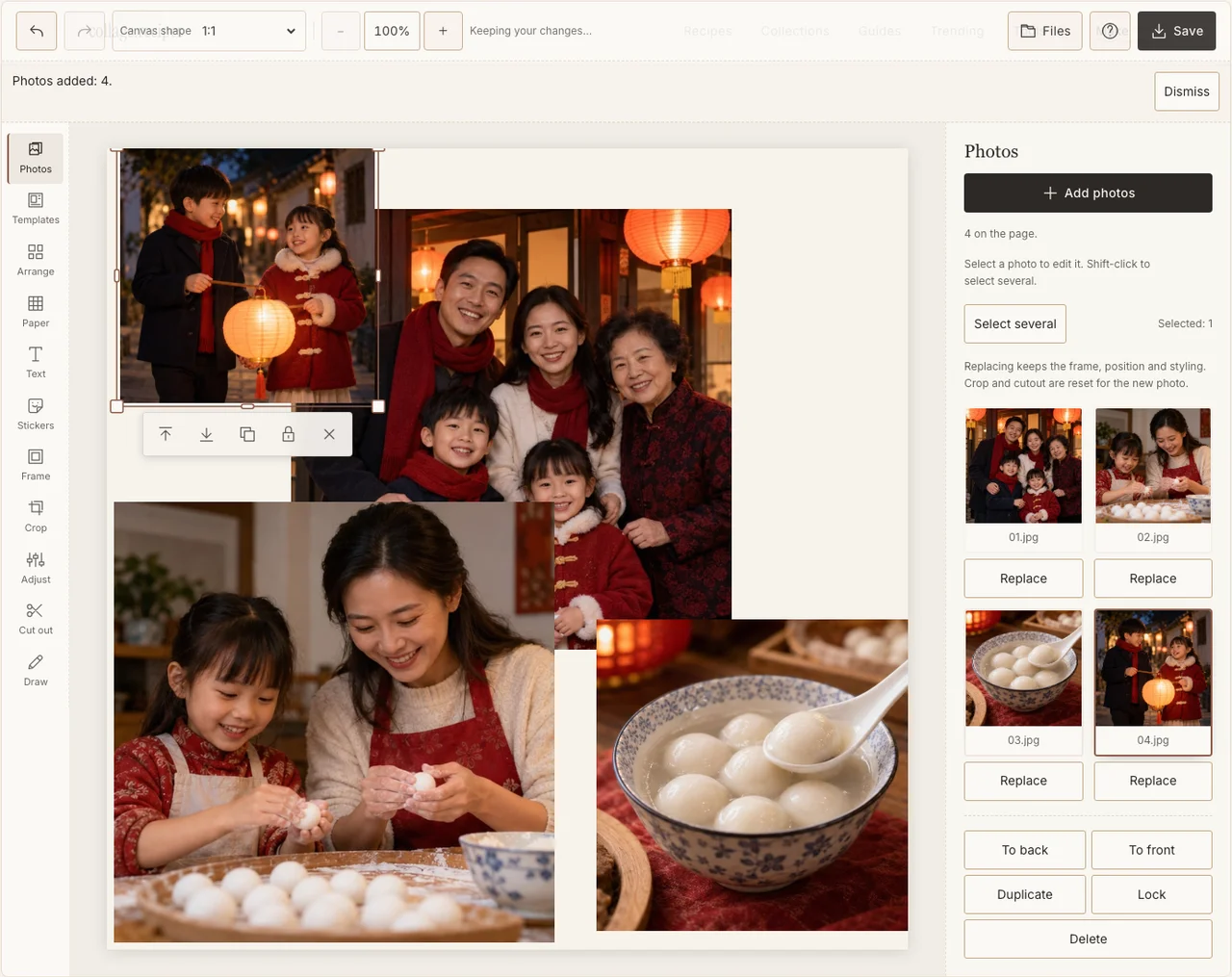
Captured in the actual desktop editor with fictional AI demonstration photographs.
Step 3: Separate the portrait from the details
Use Arrange in Freestyle. Place the group photograph on the left and the three smaller moments on the right. Keep enough distance between frames to distinguish the night scenes. Crop a distant display into a useful detail without pretending it was a close-up portrait.
Step 4: Lift shadows without erasing the night
In Adjust, improve the darkest face gently and compare it with the other images. Keep glowing lights from becoming featureless white patches. Use a pale Frame border to separate dark pictures from the Paper background rather than brightening every corner. If your browser reports that photo adjustments are unavailable, keep the original colors and continue with frames, text and saving; those controls still work.
Step 5: Name the evening simply
Add a short heading in Text and an optional confirmed place or date. A cream Paper ground keeps the caption readable. The sample says Lantern night; an accurate family phrase is more useful than an unverified name copied from another city’s festival.
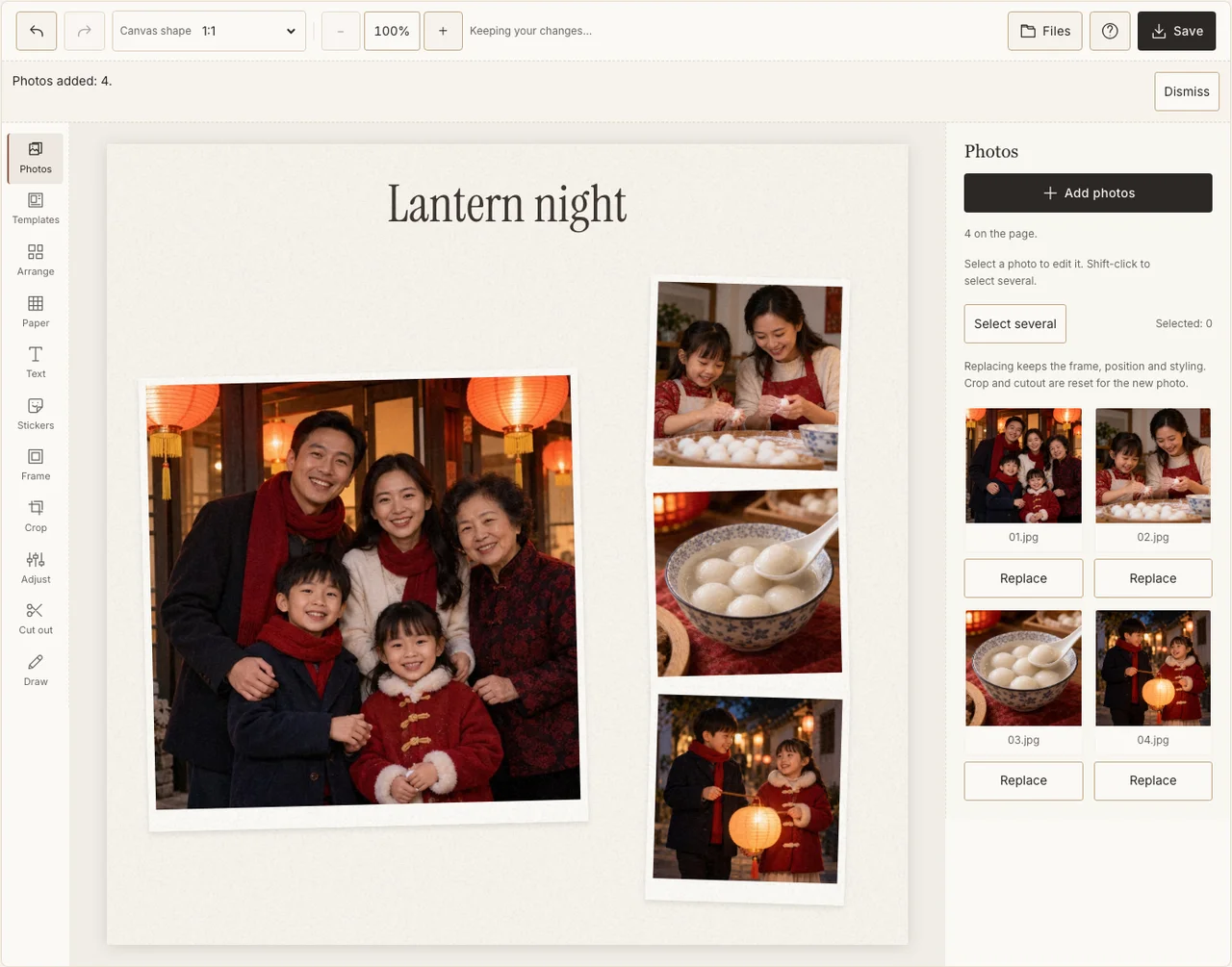
Captured in the actual desktop editor with fictional AI demonstration photographs.
Step 6: Check the dark areas in the downloaded JPG
Open Save, select Share and prepare the file. Download it and view it without the editor controls. Check the faces, bright lamps and small caption on a phone. If a frame remains unreadable, replace it before sending rather than assuming recipients will zoom in.
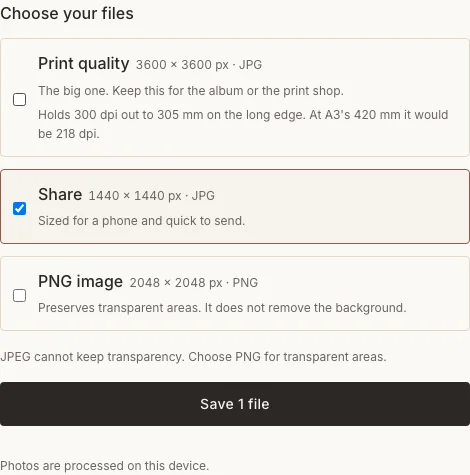
Captured in the actual desktop editor with fictional AI demonstration photographs.
Night-photo fixes
| Problem | What to try |
|---|---|
| Faces are blurred | Choose a sharper original; brightness cannot restore lost detail. |
| Lamps dominate the page | Reduce the display frame and enlarge the family image. |
| Every frame is very dark | Use a preparation or meal picture taken indoors for contrast. |
Frequently asked questions
Is Korea’s Daeboreum on the same date in 2027?
No. Korea’s 2027 Jeongwol Daeboreum falls on February 21. This guide follows the Chinese-calendar Lantern Festival on February 20; keep the occasions and calendars distinct.
Do I need photographs of released sky lanterns?
No. The demonstration uses household moments and carried lanterns. It does not require a lantern release or imply permission to stage one.
Can I include a local festival from another evening?
Yes. Caption the event and date you actually attended. A family collage does not need to rewrite an outing’s date to match the calendar holiday.
Keep making
For the earlier reunion, use the Lunar New Year family walkthrough.