How to Make a Lunar New Year Photo Collage for a Family Reunion
Make a Lunar New Year reunion collage with family photos, a clear greeting and room for everyone. Follow the real editor screenshots and download a JPG.

A reunion photograph rarely tells the whole visit. Someone cooked, someone travelled, and someone took the picture instead of appearing in it. This four-photo project puts one family portrait beside three smaller moments so those contributions remain part of the page.
This example follows the Chinese calendar: Lunar New Year’s Day is February 6, 2027, confirmed by the Hong Kong Labour Department calendar. Other communities have their own calendars, names and traditions. For example, Korea’s Seollal falls on February 7 in 2027; do not change the date on someone else’s greeting to match this example.
Make a shortlist that includes the host
Choose a group photograph, a preparation picture, the table and one exchange between generations. Ask the photographer to join another frame. A dish should be the one your family actually made: dumplings are in the demonstration, not a requirement for every Chinese household.
The practice photographs are fictional AI examples. Unzip the pack for this exercise; use your own photographs and confirmed captions for the version you share.
Step 1: Start a square reunion page
Open the maker and choose 1:1 in Canvas shape. Leave space above the photographs for a greeting. Decide whether this is an advance card using older pictures or a record of the 2027 visit; the wording should make that clear.
Step 2: Import four images and check who is represented
In Photos, choose Add photos and select the four files. Review faces before placing them. If a relative joined by video, use a permitted photograph or a simple written acknowledgment rather than sharing a screenshot with private account details.
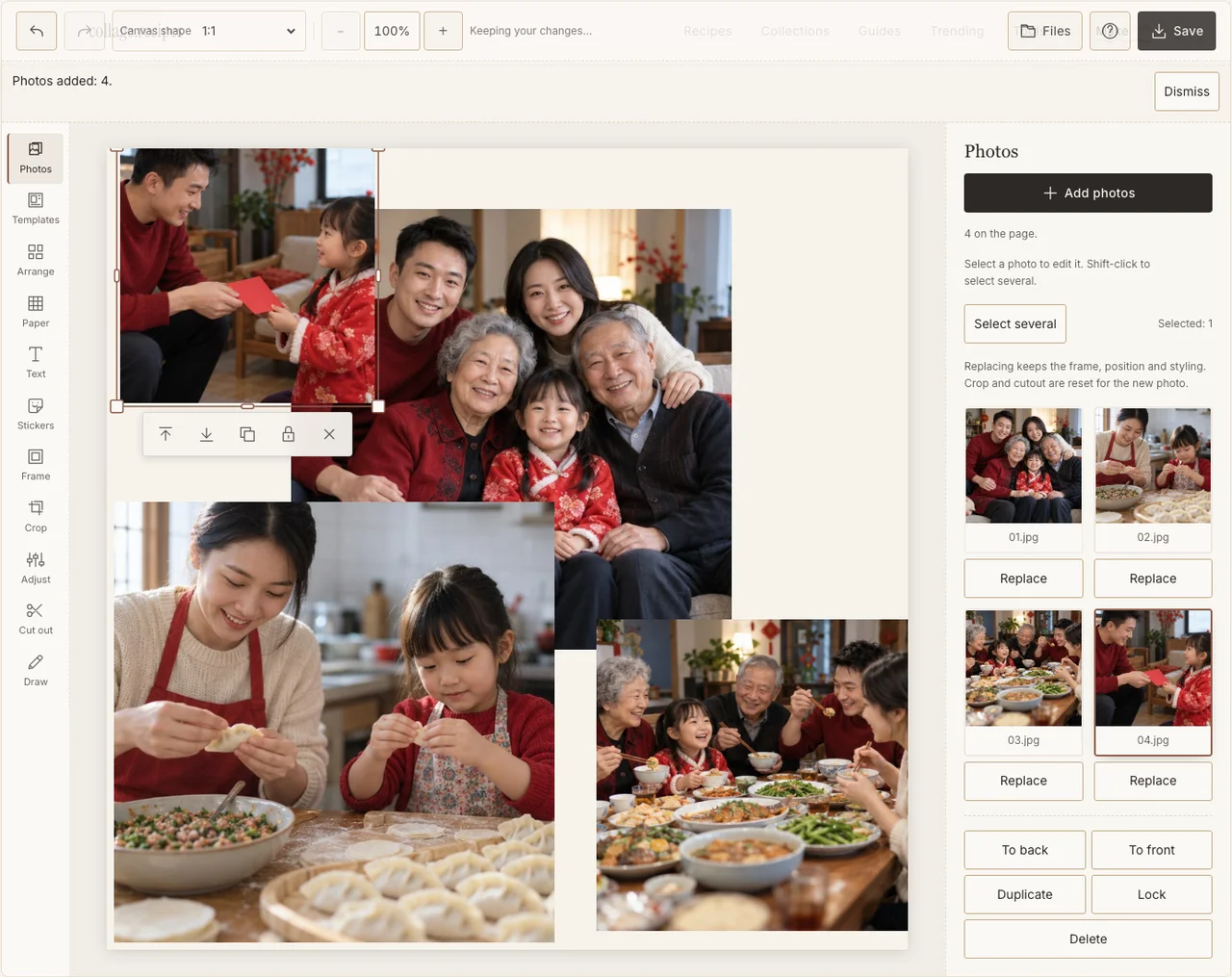
Captured in the actual desktop editor with fictional AI demonstration photographs.
Step 3: Give the family portrait the largest frame
Use Arrange in Freestyle. Place the main group on the left and the three supporting moments down the right. Keep the group large enough that the people at the edges remain visible. Crop the smaller pictures around their action rather than trying to show every chair.
Step 4: Join different lighting with a quiet frame
In Frame, give the pictures a consistent pale border. Use Adjust on individual photographs if the kitchen is much darker than the living room. Preserve natural skin tones; making every picture red is a poor substitute for including a real red accent already in the scene. If your browser reports that photo adjustments are unavailable, keep the original colors and continue with frames, text and saving; those controls still work.
Step 5: Add a greeting you can verify
Use Text for a short greeting and, if wanted, the family’s name and 2027. Leave it in paper space. If you add Chinese wording, have a reader check the characters and exported line breaks. Paper can stay cream: the photographs already contain the household’s colors.
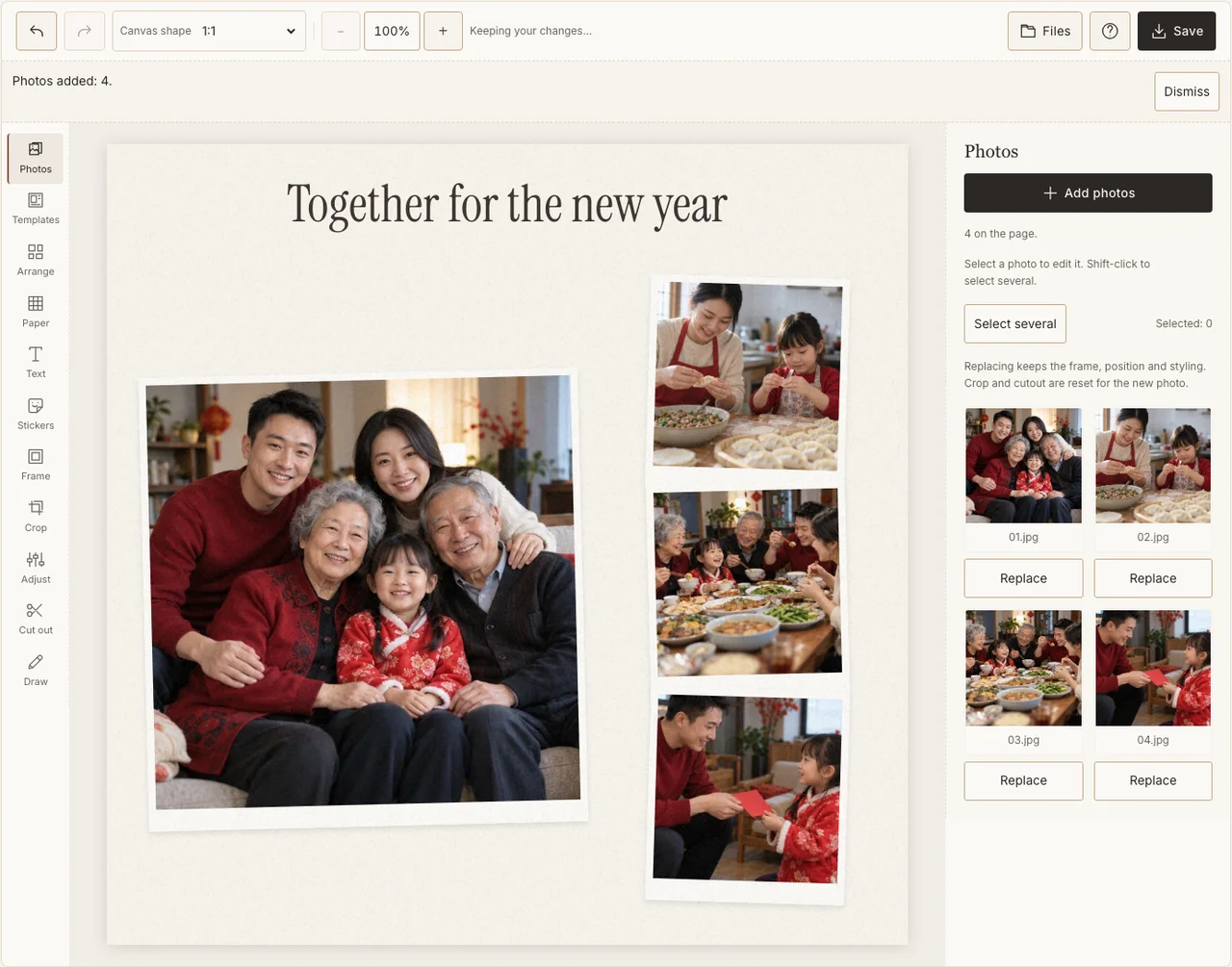
Captured in the actual desktop editor with fictional AI demonstration photographs.
Step 6: Download and inspect the family group
Open Save, select Share and prepare the JPG. Download it and zoom in on the outer faces, greeting and year. Send privately to one relative for a name check before a wider family distribution. Use Print quality only after confirming the intended paper size and crop.
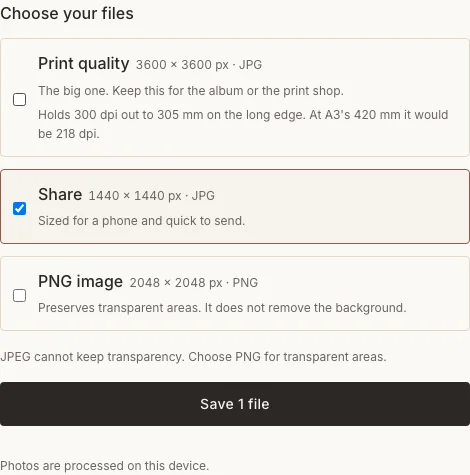
Captured in the actual desktop editor with fictional AI demonstration photographs.
Fix the record before sharing
| Problem | What to change |
|---|---|
| The host is in none of the pictures | Replace a detail with an agreed portrait that includes them. |
| A greeting uses uncertain characters | Ask a fluent reader or use wording you know. |
| The date differs from another family’s holiday | Keep each family’s calendar and label the occasion accurately. |
Frequently asked questions
Is this the same date as Seollal in 2027?
No. This Chinese-calendar example uses February 6. Korea’s 2027 Seollal is February 7. A shared English umbrella term does not make every community’s date identical.
Must the collage show zodiac artwork?
No. People, food and the family’s greeting are enough. Add an animal or motif only if it belongs to the project and you have checked the year and meaning.
Can this be a greeting sent before the reunion?
Yes. Use available photographs and write an advance greeting. Do not describe it as a record of an event that has not happened yet.
Keep making
Keep the closing family evening on a separate Lantern Festival page, or compare the distinct Tết family project.