How to Make a Mothering Sunday Photo Collage for Mum
Make a Mothering Sunday photo collage for Mum from four shared memories, with UK timing, actual editor screenshots, a personal caption and a downloadable JPG.

For a Mothering Sunday gift, choose photographs Mum will enjoy keeping rather than the four most polished pictures of you. A portrait together, something you do together and two ordinary moments can make a small page she recognises immediately.
In the UK, Mothering Sunday falls on March 7, 2027, according to the UK Mothering Sunday calendar. This is different from the May date observed in the United States and several other countries. Confirm the recipient’s own celebration before scheduling the gift.
Start with the recipient’s favourite memories
Choose one clear portrait together and three pictures with a reason to keep them: baking, a walk, tea, a hobby or a place you return to. Ask siblings before including an embarrassing childhood photograph. Use the name or relationship the recipient prefers; the layout also works for another mother figure without forcing a family story that is not yours.
The practice photographs are fictional AI examples. Unzip the pack for this exercise; use your own photographs and confirmed captions for the version you share.
Step 1: Choose the digital keepsake shape
Open the maker and choose 1:1. This example is a square page that can be sent privately. For a frame or print, check its proportions before arranging; a square image may need trimming or borders in a rectangular frame.
Step 2: Import originals where possible
Open Photos and choose Add photos for the four files. Check older scans for scratches, faded faces and enough resolution. Keep an untouched copy of each original; editing a collage should not become the only surviving version of a family photograph.
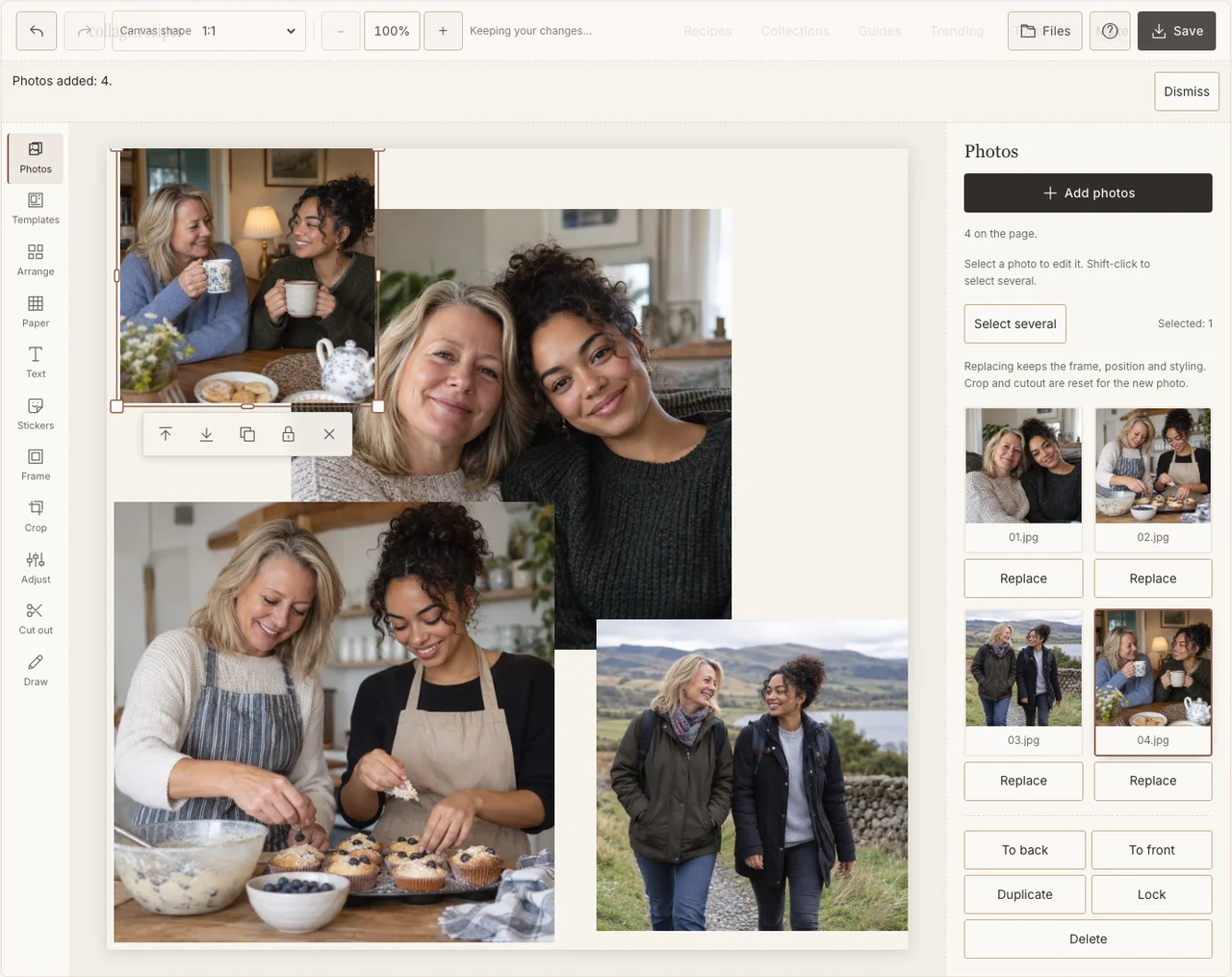
Captured in the actual desktop editor with fictional AI demonstration photographs.
Step 3: Give the portrait the most room
In Arrange, use Freestyle and place the portrait on the left, with the three smaller memories beside it. Leave paper space for the message. Crop around the people and activity, not just around a technically centred horizon or kitchen cupboard.
Step 4: Connect old and new pictures gently
Choose a simple border in Frame. Use Adjust on an individual scan if it needs help, keeping its character visible. An older photograph does not have to look newly taken to sit comfortably beside a contemporary one. If your browser reports that photo adjustments are unavailable, keep the original colors and continue with frames, text and saving; those controls still work.
Step 5: Add a line only you could write
In Text, write a short heading and a specific thank-you. For Mum is the sample’s heading; you could name the walks, recipes or conversations shown below it. Choose a quiet Paper colour and keep the sentence large enough for the recipient to read without zooming.
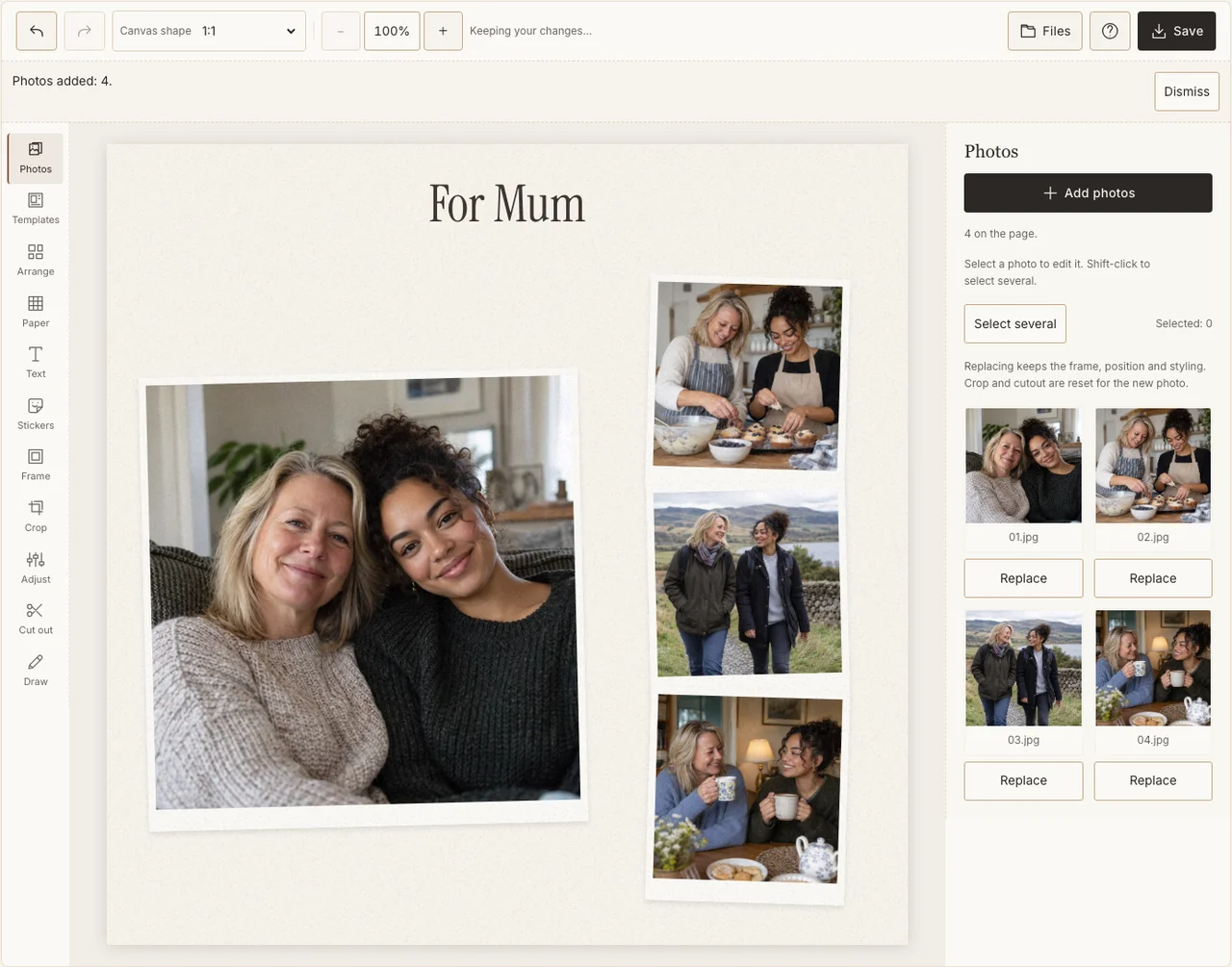
Captured in the actual desktop editor with fictional AI demonstration photographs.
Step 6: Download and check before printing
Select Share in Save, prepare the JPG and download it. Read the words at their intended size and check the oldest picture. If printing, prepare Print quality, inspect the crop and make a small proof. The export size alone does not guarantee that a low-resolution scan will print sharply.
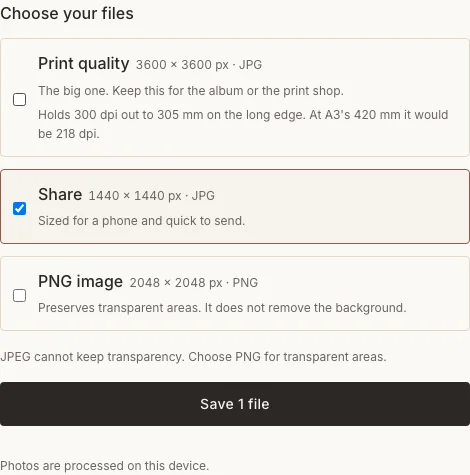
Captured in the actual desktop editor with fictional AI demonstration photographs.
Before the gift is finished
| Concern | What to change |
|---|---|
| An old scan looks soft when enlarged | Use a smaller supporting frame or rescan the original. |
| There is too much text | Keep one specific thank-you and write the longer note separately. |
| The page tells only your story | Replace a frame with something the recipient enjoys or chose. |
Frequently asked questions
Is this the American Mother’s Day date?
No. This guide uses the UK Mothering Sunday date of March 7, 2027. Use the recipient’s local date when making a gift for someone elsewhere.
Can I include a mother who has died?
Yes, if a remembrance page feels right to the family. Choose agreed photographs and wording; a celebration-style greeting is optional, and keeping the page private is fine.
Can I make one page from several siblings?
Yes. Ask each contributor for an original photograph and a short agreed caption. Confirm the final order and names before printing several copies.
Keep making
For another composition, see the birthday keepsake for Mum.