How to Make a New Year Photo Collage from Twelve Months
Make a New Year photo collage with one photograph per month, twelve equal frames and a year label that does not replace a memory.

A year can look like one long holiday when the camera roll contains three hundred travel pictures and two from February. The rule for this page is simple: one photograph for every month. Quiet months count, and the year goes in the paper space rather than replacing one of the twelve frames.
This walkthrough looks back at 2026 for a page finished around January 1, 2027. That distinction matters: a greeting welcoming 2027 and a record titled My 2026 describe different things. New Year’s Day is January 1 in the 2027 calendar; the memories on this page belong to the year just completed.
Pick the months before the highlights
Make a temporary album with twelve photographs in January-to-December order. Use a home meal, a desk or a walk for a quiet month rather than borrowing another image from the big trip. Check timestamps against your own memory, especially for photographs received in a message or scanned later.
The twelve-photo demonstration pack uses fictional AI scenes. It supplies a practice sequence, not a claim that those photographs document someone’s real year.
Step 1: Set the square canvas before the grid
Open the maker and select 1:1 under Canvas shape. Reserve a heading band and enough space for twelve modest frames. A large display or print may show the detail more comfortably than a phone; the layout cannot make tiny faces readable at any size.
Step 2: Import all twelve months
In Photos, choose Add photos and select the twelve files. Count them in the tray. If you accidentally imported thirteen, remove the duplicate now. A missing month should be a conscious choice, not something hidden by a decorative year tile.
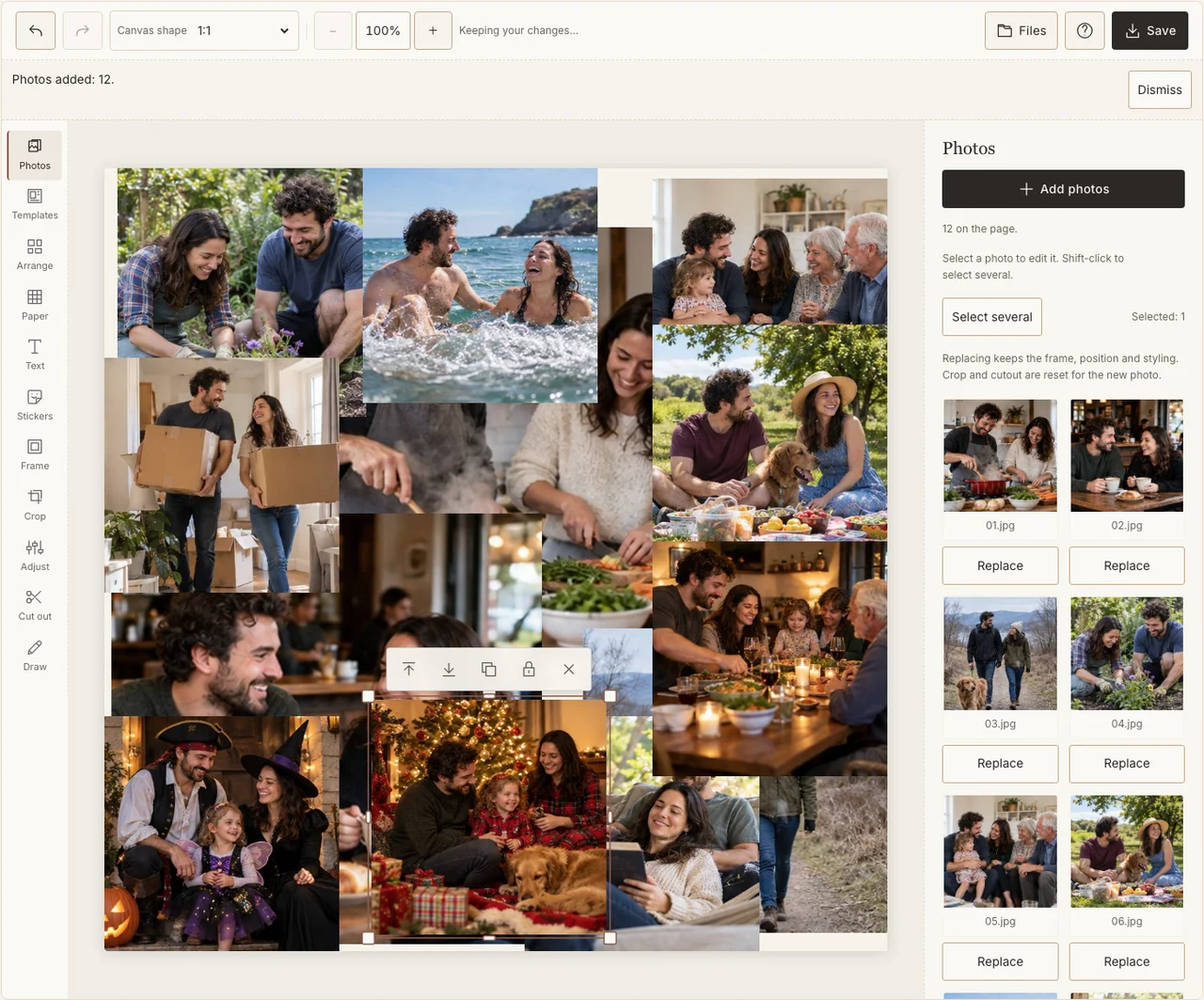
A real desktop-editor capture using fictional AI demonstration photographs.
Step 3: Make twelve consistent frames
Use Arrange to make a regular twelve-picture layout, or arrange three columns and four rows in Freestyle. Keep every photograph the same size and read the sequence across each row. Do not enlarge one spectacular month until it pushes the others into the margins.
Step 4: Correct the outlier, not the season
Open Adjust for a frame that is much darker or more saturated than the rest. Match enough brightness for the page to read together while keeping winter, summer and indoor light distinct. Give the frames the same plain border in Frame so the year has a steady rhythm. If your browser reports that photo adjustments are unavailable, keep the original colors and continue with frames, text and saving; those controls still work.
Step 5: Add twelve small month labels and one year
Use Text to put a month number or short name beside every picture. Keep the year outside the grid and use a heading that clearly says whether this is a 2026 retrospective or a 2027 greeting. Paper can stay a quiet light tone; twelve photos already bring plenty of color.
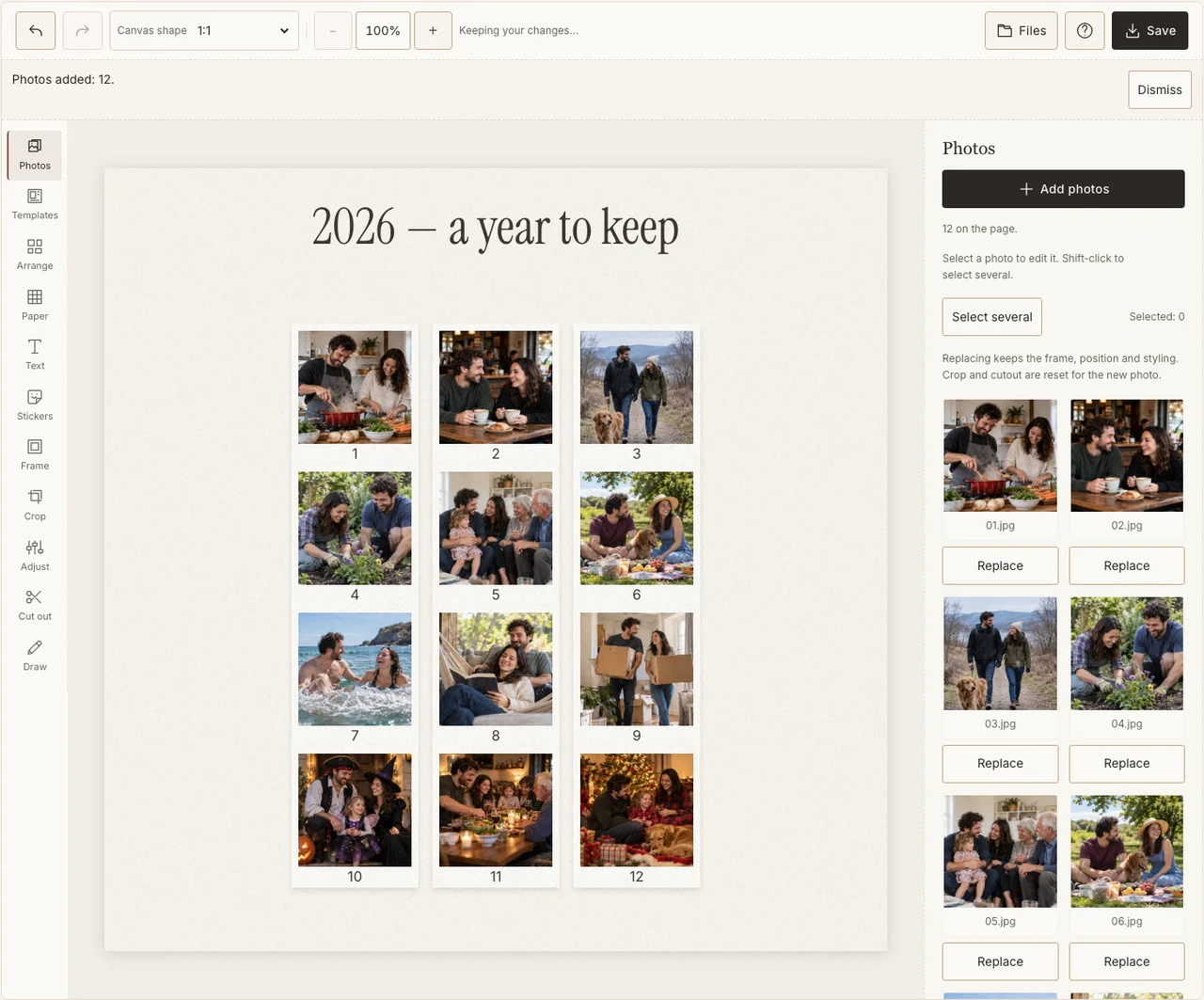
A real desktop-editor capture using fictional AI demonstration photographs.
Step 6: Inspect the exported order
Choose Share in Save and download the JPG. Open it separately and count the months again, then read the labels at the size your recipients will use. Keep the originals and an editable project separately if you want to make the same series next year.
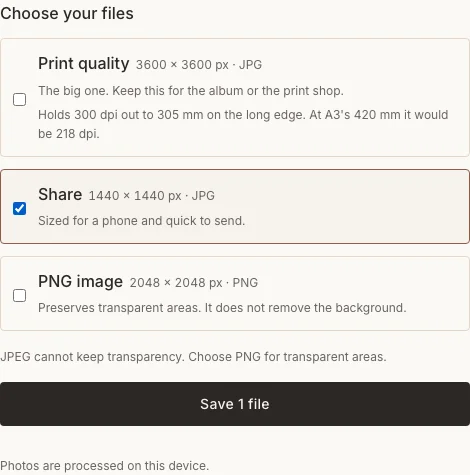
A real desktop-editor capture using fictional AI demonstration photographs.
Keep the whole year in view
| Temptation | What preserves the story |
|---|---|
| Use four pictures from one holiday | Choose one and restore the other months. |
| Put the year in the middle instead of a photo | Keep all twelve frames and move the year into the margin. |
| Skip an uneventful month | Use a small honest detail from everyday life. |
Frequently asked questions
What if a month has no photograph?
Use a clearly labeled text memory or leave a visible gap. Do not take a photograph from another month and label it as the missing one. A truthful incomplete record is still useful.
Should the heading say 2026 or 2027?
Use 2026 for the year being reviewed. If the page also greets the coming year, make that a separate line saying 2027 so the two meanings are clear.
Can the year be a thirteenth picture?
Yes, if you deliberately make room for it without losing a month. The demonstration keeps twelve equal photograph frames and a text heading, which is simpler to check.
Keep making
For an advance family greeting with fewer photos, use the Christmas card walkthrough.