How to Make an Eid al-Fitr Photo Collage for Family and Friends
Make an Eid al-Fitr photo collage with four family photographs, a checked greeting and room for everyone. Follow real editor captures through the JPG download.

An Eid al-Fitr collage can bring together relatives who could not all visit the same home. Choose a shared portrait and three moments from the gathering, keeping the greeting clear enough to read in a family message. This project records the people and visit rather than illustrating worship.
Check your community’s 2027 date before adding it. The SALAM Islamic Center calendar lists Eid on March 9 using the Fiqh Council of North America calculation; Singapore’s Ministry of Manpower lists Hari Raya Puasa on March 10 in its gazetted public holidays for Singapore. These calendars serve different communities and do not establish one universal date. Follow the announcement your community uses, and caption the actual date of your gathering.
Choose the visit’s four moments
Start with the clearest group photograph, then pick a greeting between generations, the meal and a preparation or sweets detail. Include the person who took the group picture in another frame. Ask before including children, guests or a private room in a version intended for public sharing.
The practice photo pack contains fictional AI examples, not records of a real family or event. Unzip it to try the layout, then replace the images with your own.
Step 1: Prepare a square family greeting
Open the maker and choose 1:1 in Canvas shape. Leave a strip for the greeting above the photographs. If you are preparing the layout early, use older images and make it an advance greeting rather than presenting it as this year’s completed visit.
Step 2: Add the agreed photographs
Open Photos, choose Add photos and select four images. Check for missed relatives and private information in the background. A permitted meal detail is a useful replacement for a picture someone does not want circulated.
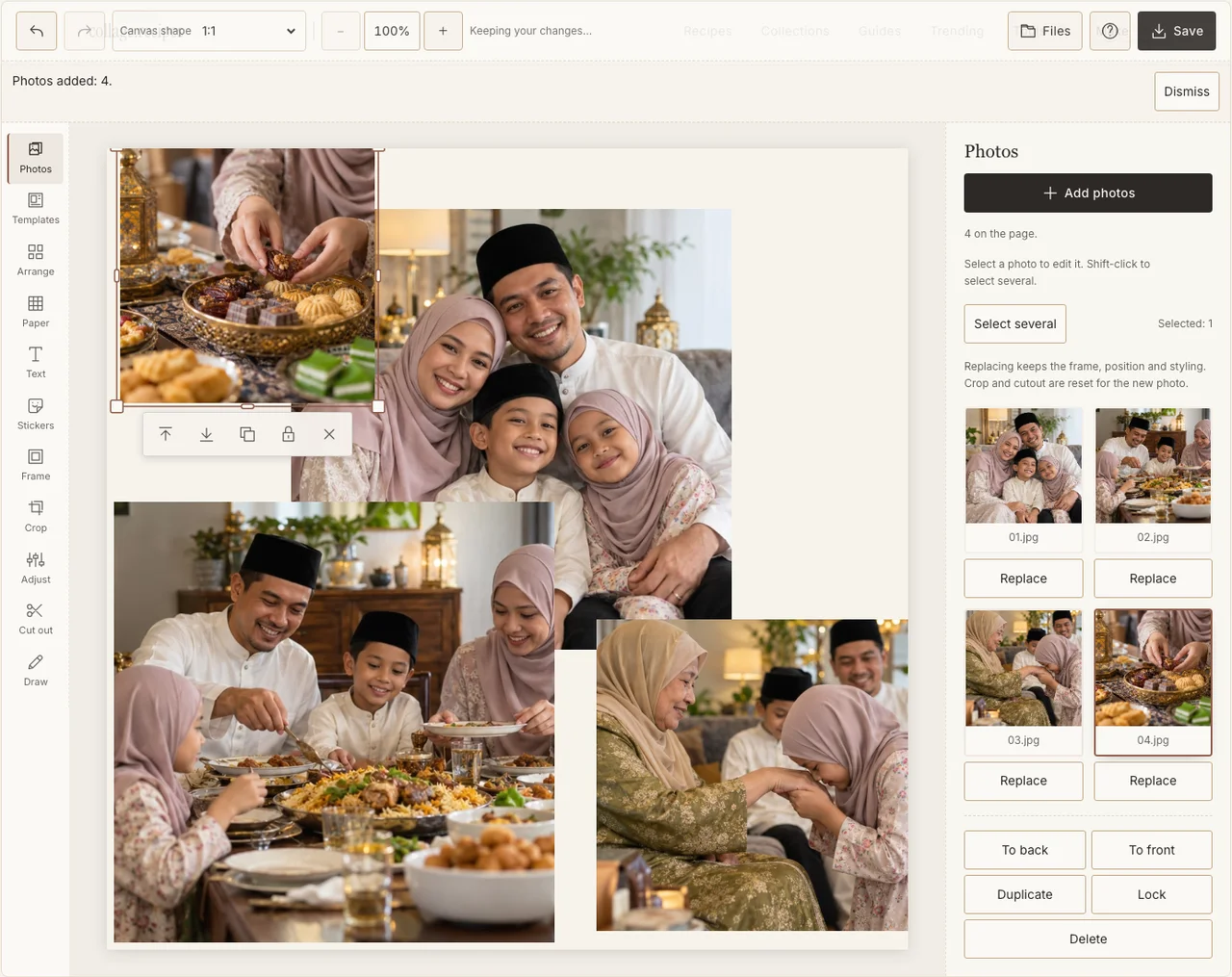
Captured in the actual desktop editor with fictional AI demonstration photographs.
Step 3: Make the people easy to recognise
Use Arrange in Freestyle. Give the group the largest frame on the left, with the three supporting moments down the right. Keep all heads inside the frame and avoid cropping the greeting hands out of the smaller picture. Empty paper is preferable to an overcrowded edge.
Step 4: Keep the day’s colours natural
Choose a restrained Frame edge and use Adjust where a photograph needs a little more light. Different clothes and rooms do not need to become one colour. Retain the people and details that make this particular gathering recognisable. If your browser reports that photo adjustments are unavailable, keep the original colors and continue with frames, text and saving; those controls still work.
Step 5: Check the words with their intended reader
Use Text for a short greeting, family name or confirmed year. Eid together is the sample heading. If you prefer another language or script, ask a reader to check the exact wording and downloaded rendering. A quiet Paper colour leaves the words visible without adding unverified calligraphy as decoration.
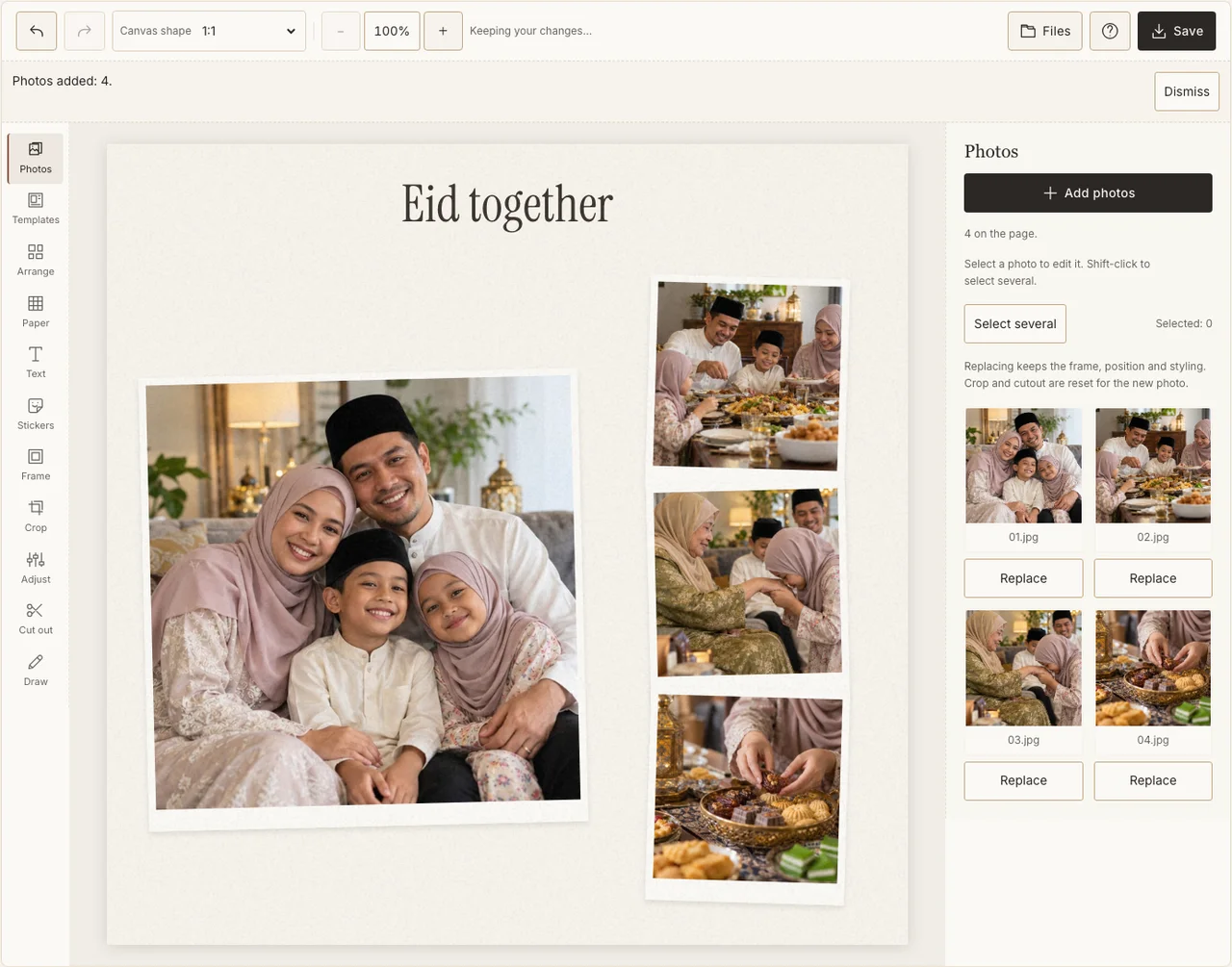
Captured in the actual desktop editor with fictional AI demonstration photographs.
Step 6: Download and confirm the final audience
In Save, choose Share, prepare the JPG and download it. Open the file and check names, faces and any date. Send the private version to the agreed group. If you want a public version later, review its photographs and caption separately rather than assuming the family-chat copy is ready for everyone.
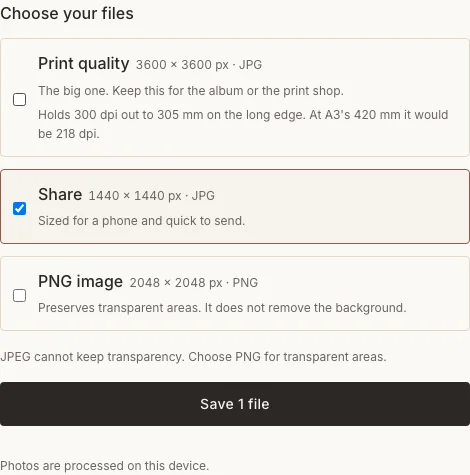
Captured in the actual desktop editor with fictional AI demonstration photographs.
Before you send it
| Problem | A useful correction |
|---|---|
| Different relatives observe on different dates | Use a greeting without a universal date, or label the actual gathering. |
| A guest is absent from the group portrait | Include them in a supporting image with permission. |
| Script or line order looks wrong | Have a reader check the exported file before sharing. |
Frequently asked questions
Is this an Eid al-Adha guide?
No. This project is for Eid al-Fitr at the end of Ramadan. Use the correct occasion and the family’s own wording rather than swapping the two names.
Can I make the greeting before the date is confirmed?
Yes. Prepare the layout and use a general greeting. Add a date only when it matches the community or gathering you are describing.
Do I need prayer photographs or religious graphics?
No. The family visit, greetings and meal can be the complete subject. Follow the preferences of the people and places involved.
Keep making
For an earlier evening during the month, use the separate Ramadan iftar walkthrough.