How to Make a Thanksgiving Photo Collage
Make a Thanksgiving photo collage step by step: import six pictures, give the family table room, credit the cooks and download a readable keepsake.

The table is easy to photograph before dinner. The people who made dinner are easier to miss. This walkthrough turns six pictures into a Thanksgiving page that gives both their place: one clear group, the cooks beside their dishes, and the small moments around the meal.
US Thanksgiving is Thursday, November 26, 2026, according to the federal holiday calendar. This is the US gathering, not Canadian Thanksgiving. A Friendsgiving potluck can use the same approach with its actual date.
Bring six photographs to the table
Choose a group photo, a kitchen portrait, a favorite dish, a serving moment, another family detail and the leftovers. Use a timer or ask someone else to take one frame so the usual photographer appears too. Write down who made each dish while you can still ask them.
The practice photo pack contains AI-generated fictional pictures. Unzip them before importing. They show the layout process; the finished family keepsake should use your own gathering.
Step 1: Choose a wide canvas before importing
Open the maker and select landscape 4:3 under Canvas shape. The wider arrangement gives a table photograph space for people at both ends. A 4:3 page is not automatically A4, letter or a particular frame size; check a print service before committing to paper.
Step 2: Import the six files in Photos
Select Add photos in the Photos panel and load the six JPGs. Check the tray for duplicates. If the only picture of one person is a candid from the kitchen, keep it rather than replacing it with a cleaner second plate photograph.
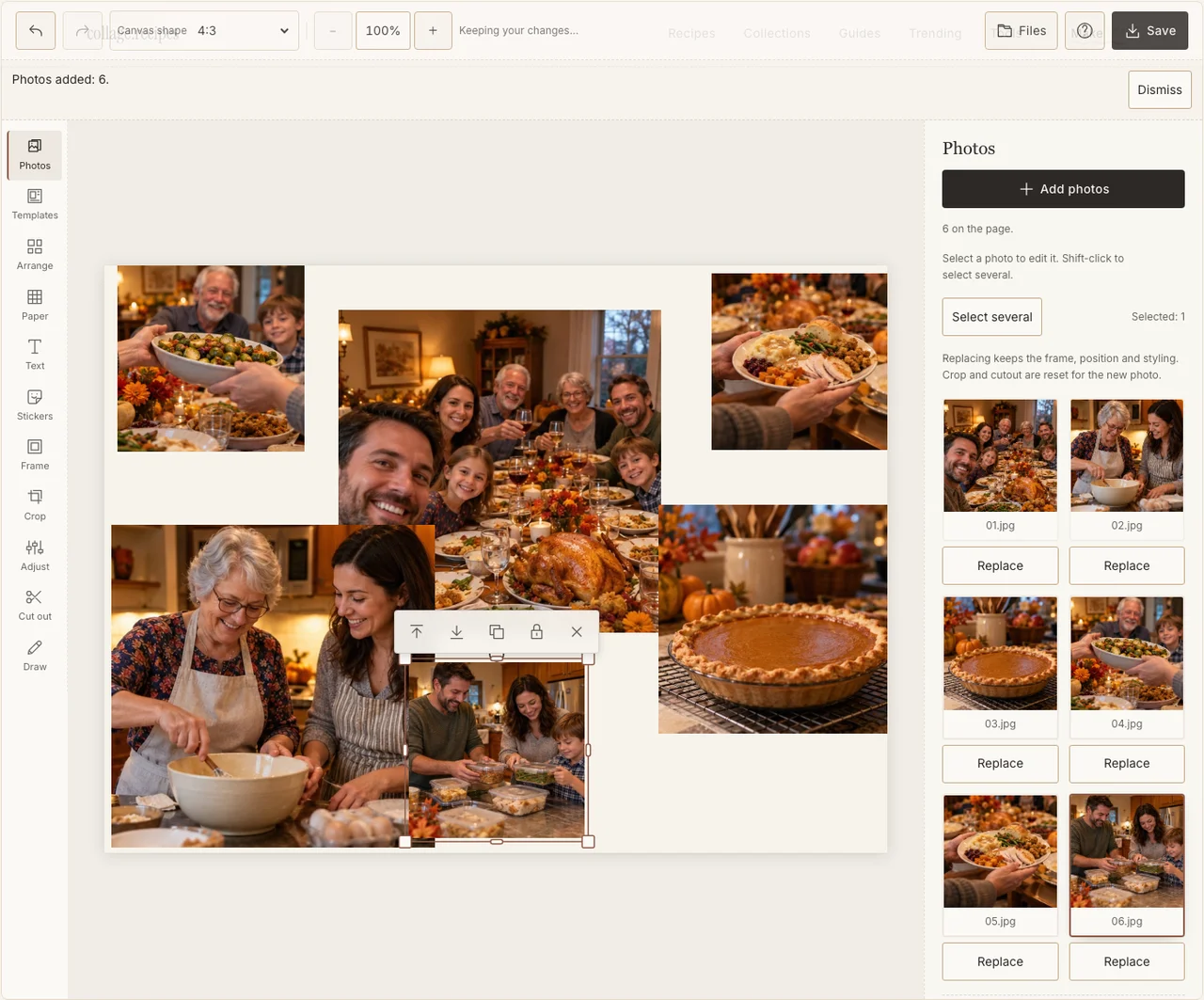
Actual desktop editor. The example photographs are AI-generated demonstrations; the controls and exported collage are real.
Step 3: Make the table photograph the anchor
Open Arrange and use Freestyle. Place the group across the main part of the page, then put the cooking and food details in smaller frames around it. Read the sequence from preparation toward leftovers. Check the people at the ends before accepting a wide crop.
Step 4: Keep the warm room without hiding faces
Select a dark photograph and open Adjust. Raise brightness enough to see expressions, then compare it with the neighboring pictures. Keep the dining room’s warmth. In Frame, a simple pale border separates the photographs without making a different style for every dish. If your browser reports that photo adjustments are unavailable, keep the original colors and continue with frames, text and saving; those controls still work.
Step 5: Credit the cooks in the available paper space
Choose a warm, restrained background in Paper. Add the year and gathering place in Text. Put a small dish credit beside its photo if it matters, using the cook’s preferred name. Keep captions away from the edge and large enough for older relatives to read on a phone.
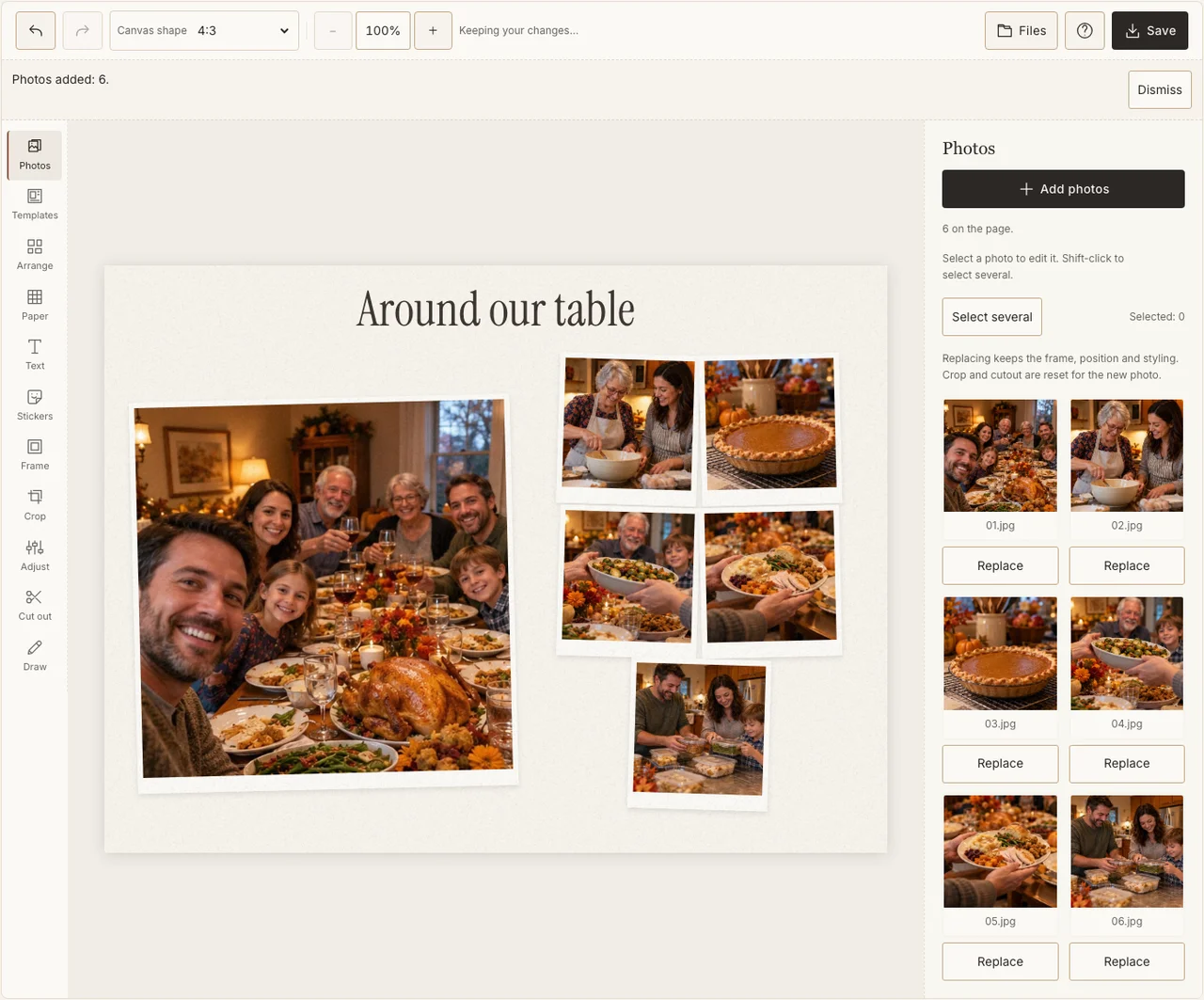
Actual desktop editor. The example photographs are AI-generated demonstrations; the controls and exported collage are real.
Step 6: Send a proof before ordering a print
Choose Save, select Share and download the JPG. Open the file and read its smallest names at phone size. For printing, select Print quality separately and inspect the shop’s crop preview. Keep a year-labeled original so next year’s table has something to sit beside.
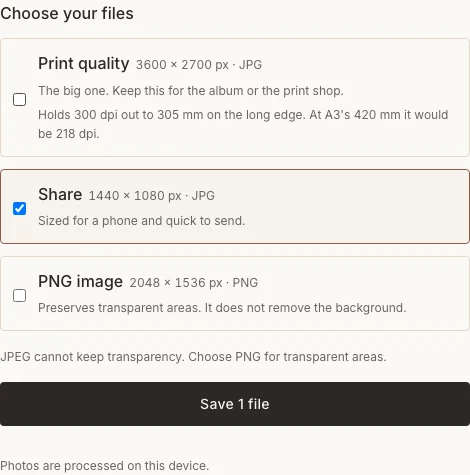
Actual desktop editor. The example photographs are AI-generated demonstrations; the controls and exported collage are real.
Fix the common table-photo problems
| Problem | What to change |
|---|---|
| The people at the ends are cut off | Widen that frame or move its crop; do not cover them with a caption. |
| Food fills almost the whole page | Restore the group and cooks as the largest subjects. |
| A dish name has become tiny | Shorten it or remove a less useful caption. |
Frequently asked questions
Can I use this for Friendsgiving?
Yes. Pair each friend with what they brought, including takeout or the store-bought dessert. Use the real gathering date and the names the group wants included.
Can I finish the dinner recap before Thanksgiving?
A recap of that dinner needs photographs taken at the gathering. Beforehand, you can prepare the page or make a greeting with photographs you already have. Keep those two purposes clear.
Which file should I print?
Use the largest suitable export after confirming the printer’s required dimensions and crop. The Share file is convenient for a phone, but its existence does not guarantee a particular print size or resolution.
Keep making
The Thanksgiving family-table recipe gives more story and photo-set variations. The Christmas walkthrough shows an advance greeting rather than a dinner recap.