How to Make an Advent Photo Collage, One Week at a Time
Make an Advent photo collage with one moment for each week, a clear four-frame layout and real maker screenshots, without confusing it with a December countdown.

Four weeks can tell a family story without asking you to take a photograph every day. This Advent page uses one ordinary moment per week: preparing the home, making something together, baking, and a quiet evening. It is a weekly memory project, not a set of twenty-four tiny doors.
The 2026 liturgical calendar places the first Sunday of Advent on November 29. A secular countdown beginning on December 1 follows a different timetable. Use the dates that match your family’s actual practice, and leave a week open until its photograph exists.
Choose a rule you can keep
Use four photographs with people or activities you want to remember. Do not fill an unfinished week with a repeated image to make the page look complete. If you prefer a daily December project, give it its own photo count and title; the four-frame example here is deliberately weekly.
The practice photographs are AI-generated household scenes. They let you learn the controls before the season begins, without presenting future events as already photographed.
Step 1: Set up a four-part square
Open the maker and choose Canvas shape 1:1. Keep this working page while the season unfolds. A square with four similarly sized frames gives each week the same importance and leaves room for a short heading above the pictures.
Step 2: Add the photographs you have so far
In Photos, choose Add photos and select the files. For the practice version, import all four. For your own unfinished project, add only photographs already taken; you can add or replace one later without inventing the remaining weeks.
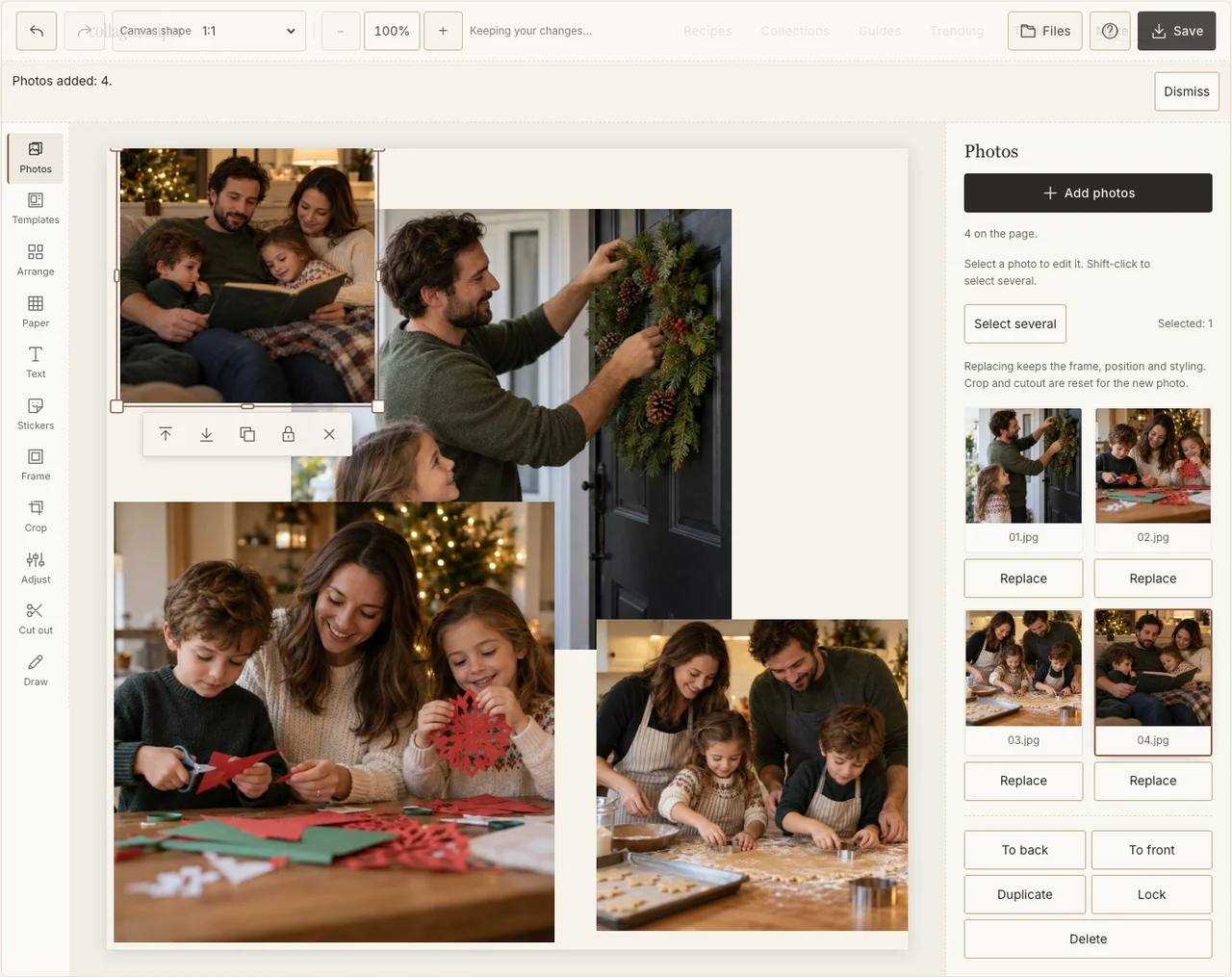
Actual desktop editor. The example photographs are AI-generated demonstrations; the controls and exported collage are real.
Step 3: Keep the weeks in a readable sequence
In Arrange, use a balanced four-frame layout or position four equal frames in Freestyle. Read left to right, then the next row. Keep the frame sizes consistent so a larger, brighter Christmas-tree image does not silently turn the other three weeks into decoration.
Step 4: Bring different evenings toward one tone
Open Adjust for photographs with noticeably different brightness. Aim for people to remain visible across all four frames, not for identical lighting. Use the same restrained border in Frame to connect photographs made several weeks apart. If your browser reports that photo adjustments are unavailable, keep the original colors and continue with frames, text and saving; those controls still work.
Step 5: Label the weeks simply
Use Text for a brief heading and the week dates or numbers. Put each label in the paper space outside its photograph. In Paper, keep the ground quiet. This is a memory of your family’s activities; it does not need borrowed religious symbols or an invented ritual scene to establish its purpose.
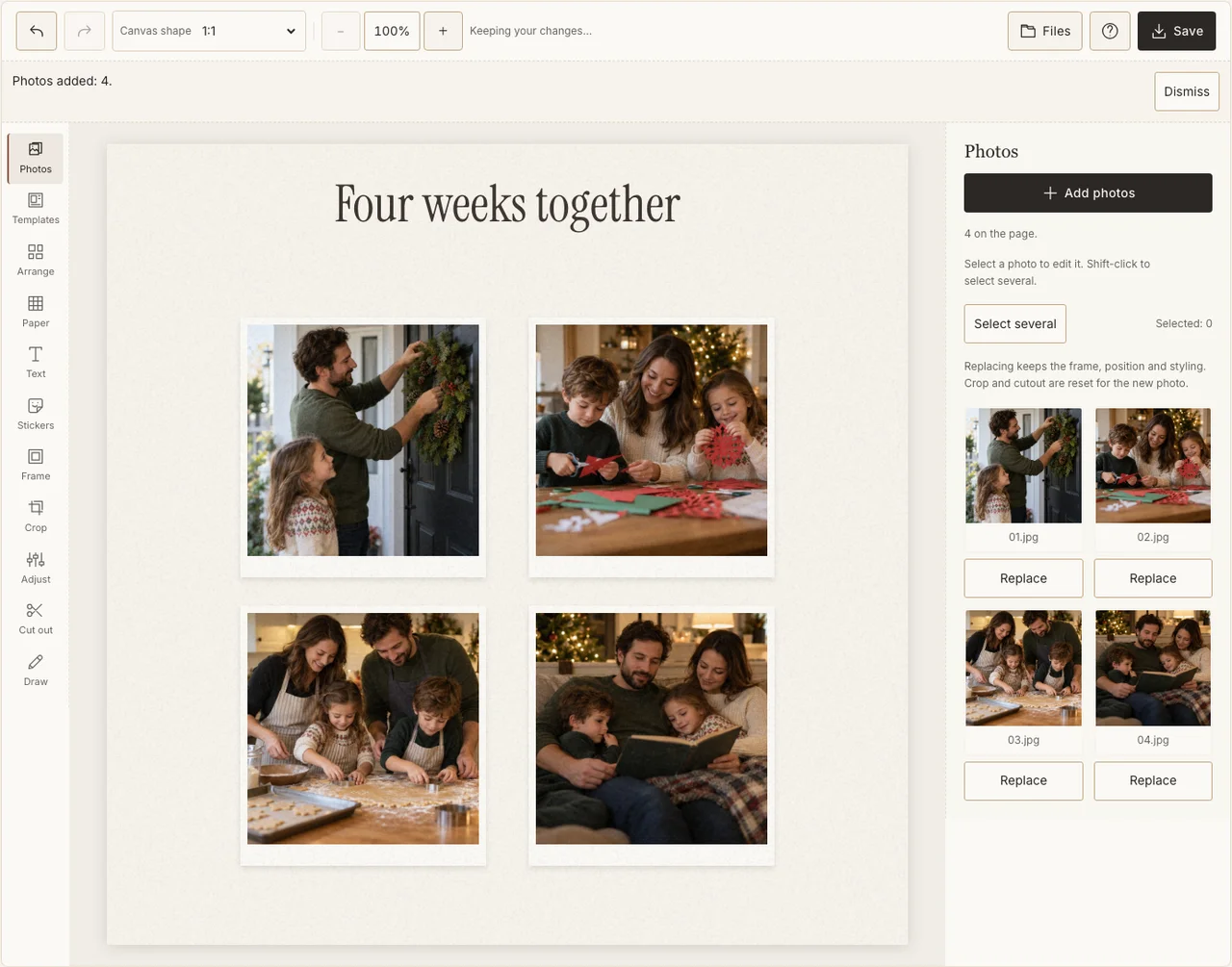
Actual desktop editor. The example photographs are AI-generated demonstrations; the controls and exported collage are real.
Step 6: Save the work and the finished image separately
Download a Share JPG from Save when you want to send a progress image. Keep the editable project on the same device if you plan to return and add later weeks. A downloaded JPG is a finished picture, not an editable backup of the project and its original photos.
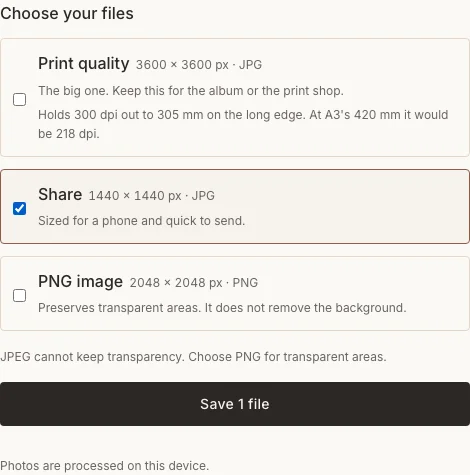
Actual desktop editor. The example photographs are AI-generated demonstrations; the controls and exported collage are real.
When a week does not go to plan
| Situation | A useful response |
|---|---|
| You missed a week | Use an honest small detail from that week, or say the photograph is missing. |
| You only have three good images | Keep three rather than duplicate one and imply it is a fourth moment. |
| Every photograph is a decoration | Replace one with the people who made or enjoyed it. |
Frequently asked questions
Is Advent always December 1 to 24?
No. The Christian Advent calendar begins on a Sunday that changes by year; in 2026 it begins November 29. A December 1 countdown is a different, often secular, photo project.
Do I need a wreath or candle photograph?
No. Use your household’s activities and customs. The example’s four-week structure works with baking, reading, visits or quiet time together.
Can I add one week at a time?
Yes. Keep the editable project on the device where you made it and save progress images as needed. Before closing the browser or clearing storage, keep the original photographs and any project backup you need separately.
Keep making
When you are ready to make a greeting from photographs already taken, follow the Christmas collage walkthrough.